AI Resume Builders for Pakistani Jobs: What to Use (2026)
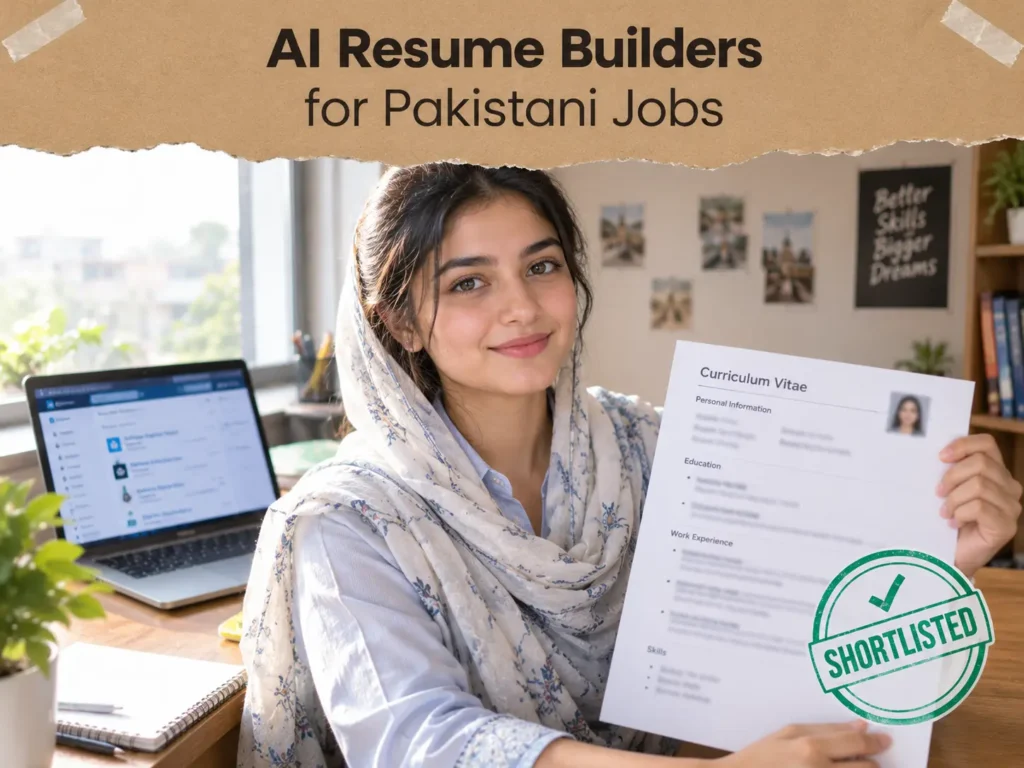
Most Pakistani job seekers don’t need to pay for a resume builder. A free chat assistant can write the text, a plain one-column template holds it, and the result gets saved as a PDF. What matters more than the tool is knowing which CV you’re making, because a private-sector CV, a government application, and an overseas application ask for different things. Pick the target first, then pick the tool, and keep every line true.
The next thing to know is that “free” often means free to build, not free to download. Several popular builders let you spend an hour on a CV and then ask for money at the download button. Checking that first saves a lot of frustration.
If you want help phrasing your drafting requests to an AI assistant, these freelancer prompts show how specific instructions get better results than vague ones.
I compared several October 2026 roundups of free resume builders and a number of guides to CV conventions in Pakistan while preparing this. They disagree in places, so I’ve said where. Plans change often, and some of the roundups come from the builders themselves, so confirm any plan detail on the tool’s own site. The job seekers in the examples are illustrations, not real people.
Which CV Are You Actually Making?
Before you open any tool, decide which of these three you need. Mixing them up is the most common reason a good CV gets rejected.
A private-sector or multinational CV
This is the plain, one-page-for-freshers document that goes to banks, telecom companies, software houses, and multinationals, and gets uploaded to portals. It should be clean and easy for software to read, and it leaves out your CNIC number.
A government application
Government posts, such as those advertised through FPSC or provincial commissions, usually follow a fixed format. They commonly ask for details a private CV omits: CNIC, father’s name, domicile, and attested copies of documents. The advertisement tells you exactly what to include, and you follow it.
An overseas or remote-job CV
These vary by country and employer. Many international employers don’t want a photo, date of birth, or marital status on the CV. Read the posting, and follow what it asks.
The rule that holds across all three: follow the advertisement. If it doesn’t ask for a detail, leave it out.
What “Free” Really Means
Here’s what recent comparisons report about free plans. These details change, and the roundups disagree on some of them, so treat the table as a checklist of questions to ask, not a ruling.
| Tool | What the free plan is reported to give | Watch for |
| FlowCV | One resume, with unlimited watermark-free PDF downloads | No per-job tailoring |
| Teal | Unlimited resumes and PDF downloads with an account | AI features are limited, and some free credits are one-time |
| Kickresume | Unlimited downloads on a few basic templates | The AI writer and ATS checker are reported to need a paid plan |
| Rezi | One resume and a small number of PDF downloads | Most scoring and AI features need payment |
| Enhancv | A short free trial | Downloads then need a paid plan |
| Resume.io and Zety | Free to build | Download is paywalled, or only a plain text export |
| Canva | Free templates and a PDF export | A decorative design can break ATS reading |
ATS stands for applicant tracking system, which is software some employers use to sort applications before a person reads them. A busy template with columns, icons, and graphics can scramble in that software.
One October 2026 comparison of free plans lays out what each tool lets you download, and it’s worth a look before you commit time to any of them.
Paying also has a Pakistan-specific catch. Paid plans usually need a card that works for international online payments, and many graduates don’t have one. That’s one more reason to start with free tools.
The Zero-Budget Method
For most freshers, this beats any paid builder.
Write the content with a chat assistant. A free ChatGPT, Claude, or Gemini account can turn your facts into clean bullet points.
Put it into a plain template. Use a single-column template in Google Docs, Word, or FlowCV. Skip heavy graphics.
Export a PDF. PDF keeps the layout stable, and employers generally prefer it unless they ask for Word.
You’re using AI where it helps (wording) and avoiding it where it hurts (design that confuses software).
Start With Facts, Not Prose
AI can phrase things, but it can’t know what you did. If you give it nothing, it will invent something, and an invented skill is the quickest way to fail an interview.
Before you write a word, make a plain facts sheet. List your education with years and results, your internships and projects with what you actually did, the tools you can really use, any certificates, and any numbers you can honestly state, like “managed a team of five” or “handled forty orders a week.” Then give the AI that sheet and nothing else.
A good first prompt looks like this:
Here are my facts for a CV. Turn each project and job into two or three short bullet points that start with a strong verb. Use only the facts I’ve given. Don’t add skills, numbers, or tools that aren’t listed. If something is unclear, ask me instead of guessing.
A second prompt tailors it to a job:
Here is a job advertisement and my facts. Suggest which of my real experiences to move to the top, and which terms from the advertisement I can honestly use. Don’t add anything I haven’t done.
A third prompt acts as an honest reviewer:
Read this CV as a hiring manager. List anything vague, anything that sounds generic, and anything you’d want to ask about in an interview.
The last one is the most useful. It finds weak spots before a recruiter does.
Before and After: Fixing Lines That Sound Like AI
AI drafts have a recognisable flavour: big claims, no detail. Recruiters read hundreds of these, and they skip them. Here’s how to fix three common kinds of line. These are examples only, so use your own real details and numbers.
The opening summary
Before: “Results-driven professional with a proven track record of delivering exceptional results in dynamic environments.” After: “Final-year BBA student with a six-week sales internship and a class project in Excel, applying for entry-level roles in banking.” The second version says who you are, what you’ve done, and what you want.
The activity line. Before:
“Responsible for managing social media.” After: “Ran the debating society’s Instagram page, posting three times a week and tracking which posts got the most replies.” Put a number in only if it’s true. If you can’t measure it, describe what you actually did.
The project line. Before:
“Worked on a data project.” After: “Built an Excel sheet from sample sales data and used pivot tables to show monthly trends for a class presentation.” Name the tool and the result, and a recruiter can picture the work.
Words like “dynamic,” “hardworking,” “team player,” and “results-driven” appear on a huge number of CVs and say very little. When the AI gives you one, ask it, or yourself, “what did I actually do?” and write that.
Make It Easy for Software to Read
A few rules keep a CV readable for both software and people.
Use one column. Use standard headings like Education, Experience, Projects, and Skills, because software looks for them. Keep fonts simple. Avoid putting important text inside tables, text boxes, headers, or images, since some systems can’t read them. Use a PDF where you can select and copy the text. A scanned image of a CV is invisible to software.
Name the file plainly, like FirstName_LastName_CV.pdf, so a recruiter who downloads fifty files can find yours.
Use the same wording as the advertisement where it’s honest. If the job says “customer support” and you call it “client care,” some systems won’t connect the two.
What to Leave Out, and What to Include
Leave your CNIC number off a private-sector CV. It’s a sensitive identity number, and printing it on a document that gets uploaded to portals and emailed around is a risk. Provide it later, on the employer’s formal application form, if they ask.
Father’s name, religion, and marital status usually aren’t needed on a private-sector CV. Date of birth is optional, and sources disagree on whether to include it, so follow the advertisement.
The photo is similar. Some Pakistani employers expect one and some forms require it. Many technology firms, multinationals, and overseas employers prefer none. If the advertisement doesn’t ask, you can leave it out.
Include a professional email address, a working mobile number, your city, and a LinkedIn link if you have one. Keep your education honest and in order. Many freshers also list their FSc and Matric results, so follow what the advertisement or portal expects.
For length, one page is a good target for fresh graduates, and two pages at most for experienced candidates.
Portals and Where to Send It
Upload your CV and complete the profile on the main job portals, such as Rozee.pk portal, Mustakbil, LinkedIn, and Indeed Pakistan. Make your portal profile match your CV, since employers often see the profile first. Portals and company systems sort applicants partly by matching terms in the profile, so a half-empty profile hurts.
Be careful with job offers that ask for money, or for photos of your CNIC, before any interview. Fake offers circulate on WhatsApp and Facebook. A real employer doesn’t charge you to apply.
Three Job Seekers, Three Paths
These are illustrative scenarios based on how these tools usually behave. They are not reports about real people.
The fresh BBA graduate
He uses a chat assistant to draft bullet points from his internship and final-year project, then puts them into a single-column FlowCV template. It went smoothly, and he got a clean one-page PDF at no cost. It stalled when the AI added “advanced SQL” to his skills. He doesn’t have that, and he removed it before sending. He now asks the assistant to use only his listed facts. To fill the gaps in his experience, he’s also taking small paid tasks, and this student freelancing guide shows how other students start.
The accountant applying abroad
She has five years of experience and wants overseas roles. She uses a builder with an ATS checker and tailors her CV to each posting, and she drops the photo and personal details the postings don’t ask for. It went smoothly once she accepted that each application needs its own version. It stalled when a free builder only let her export plain text, so she moved to a different tool.
The teacher applying for a government post
She uses a Word template and uses AI only to polish her summary. It went smoothly because the advertisement listed the required fields. It stalled earlier, when she used a modern template that left out domicile and father’s name, and the form was returned. She now builds from the advertisement’s list, not the template’s layout.
One Evening, Start to Finish
1. Choose the target. Private, government, or overseas.
2. Write your facts sheet. Education, projects, tools, numbers, and nothing invented.
3. Draft with the assistant. Use the first prompt above.
4. Pick a plain template. Single column, standard headings.
5. Tailor to one job. Use the second prompt, and keep only what’s honest.
6. Run the checks below. Software test, skim test, truth test.
7. Export, name, and upload. PDF, a clean file name, and a full portal profile.
8. Track your applications. A simple spreadsheet works, with the date, the company, and the version you sent.
Mistakes That Cost Interviews
Exaggerating or inventing skills. Interviews test what’s written. A skill you can’t explain turns into a weakness.
Putting your CNIC on a private-sector CV. Provide it on the form, not the document.
Using one CV for every job. Tailor the top third for each posting.
Choosing a fancy design. Two columns, icons, and graphics can scramble in software.
Letting AI fill the page with buzzwords. Phrases like “results-driven team player” tell a recruiter nothing.
Not checking the free plan. You can lose an hour building something you can’t download.
Sharing personal details with unknown sites. A CV holds your phone, email, and history. Use well-known tools, and read their privacy terms.
Skipping spelling and phone-number checks. A wrong digit loses an interview.
Three Quick Self-Checks
The software test. Open your PDF, select all the text, and paste it into a plain text file. If it’s jumbled or missing, software will struggle with it too.
The skim test. Show it to a friend for ten seconds and ask what job you’re applying for and what you’re best at. If they can’t say, the top of the CV isn’t clear.
The truth test. For every line, can you explain it in an interview with an example? If not, cut it or learn it first.
Decision Checklist: Is an AI Resume Builder the Right Choice for You?
Answer yes or no to each one.
- Do you have a facts sheet with real dates, projects, and numbers?
- Do you know whether you need a private, government, or overseas CV?
- Have you checked what the free plan lets you download?
- Are you willing to edit the AI’s wording so it sounds like you?
- Can you explain every line in an interview?
- Are you comfortable giving the tool your phone and email, but not your CNIC?
- Do you have a plain template you can fall back on if the builder fails?
If most answers are yes, go ahead with the zero-budget method. If the first is a no, build the facts sheet before you touch any tool. If the fifth is a no, remove what you can’t defend.
When an AI Resume Builder Is Not the Right Choice
Skip it when a government advertisement gives a fixed format. In that case, follow the format exactly, and use AI only for wording. The Federal Public Service Commission’s FPSC site is the place to check its own requirements.
Skip a paid builder if you have no way to pay, or no job to apply to yet. A free template and a careful rewrite will do the same work.
It’s also not the answer when the real problem is experience. A better-formatted CV won’t fix an empty one. Internships, projects, and small paid work give you something real to write about. If you’re a student with little history, small paid work is one way to build experience before you apply.
Quick Problem Diagnosis
| What you see | Likely cause | First thing to check |
| No replies at all | The CV doesn’t match the job | Compare your top third with the advertisement’s wording. |
| The builder won’t let you download | The free plan is limited | Check what the free plan exports before you build more. |
| The AI wrote things that aren’t true | An unclear prompt | Re-run it with “use only the facts I gave you.” |
| The text is jumbled when pasted | A decorative layout | Switch to a single-column template. |
| The government form was returned | Missing required fields | Rebuild from the advertisement’s list of fields. |
| The profile looks half empty | An incomplete portal profile | Fill every section so it matches your CV. |
Questions Job Seekers Ask
Is a free AI resume builder enough?
For most freshers, yes. A free assistant for wording and a plain template for layout does the job. Check what each builder’s free plan lets you download.
Should I put my CNIC on my CV?
Not on a private-sector CV. Government applications often ask for it on the application form, and the advertisement says exactly where.
Do I need a photo?
Only if the advertisement or form asks. Many multinationals and overseas employers prefer none.
How long should my CV be?
One page for a fresh graduate, and two at most with real experience.
Will employers know I used AI?
They may, if the wording is generic. Rewrite it in your own voice and keep every claim true, since interviews will test it.
Is it safe to enter my details into these sites?
Use well-known tools, read the privacy terms, and never enter your CNIC. Delete your account if you stop using it.
Which file type should I send?
PDF, unless the employer asks for Word.
Your First Evening
Write your facts sheet, choose your target, draft with an assistant, pick a plain template, and export a PDF. Run the three checks, then upload it and fill in your portal profile.
If you don’t have much to put on it yet, don’t pad it. Build one small real project or take one small paid task, and your next CV will have something solid to say. If you’re thinking about that route, this guide to landing a first client covers where beginners usually start.