DeepSeek R1 Local Setup on Low-End PC: What Actually Runs
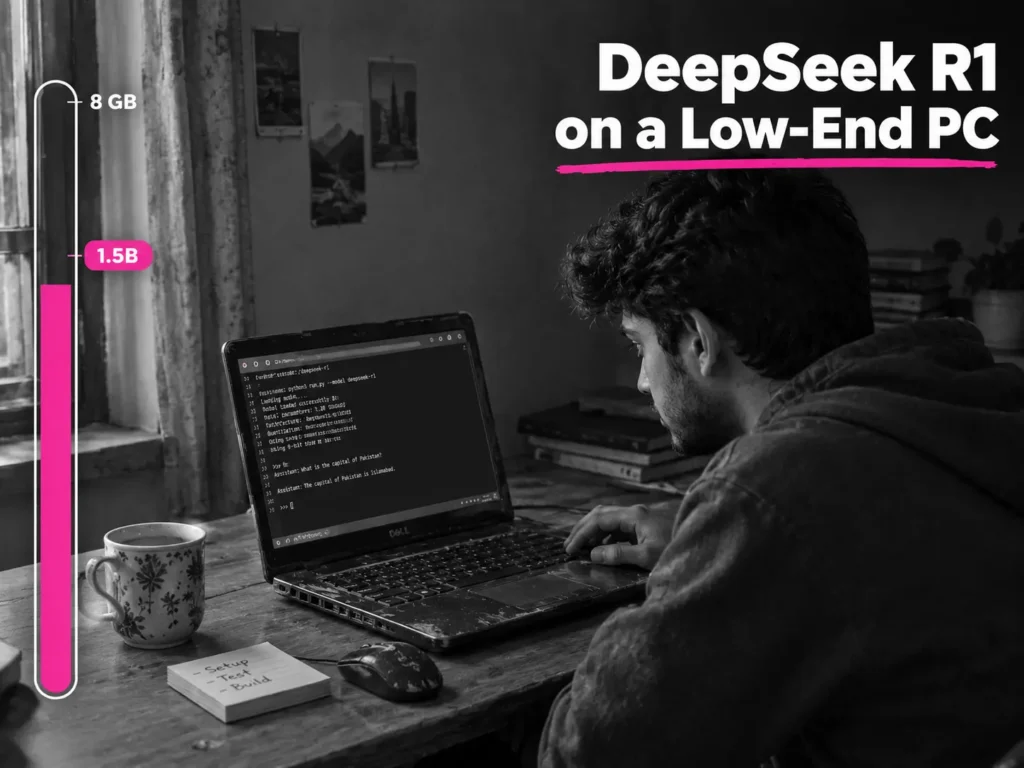
Yes, you can run a version of DeepSeek R1 on a low-end PC, but not the full model. The full R1 has 671 billion parameters, which are the numbers a model learns during training, and its files add up to about 404 GB. What runs on an ordinary laptop is a distilled model: a much smaller model trained to copy R1’s step-by-step reasoning. On a PC with around 8 GB of RAM and no graphics card, the realistic choice is the 1.5B version, a download of about 1.1 GB. With 16 GB of RAM, the 7B or 8B versions become possible. Start with the smallest one, check that it answers, and only then step up.
Running it offline has a real appeal. Your text stays on your machine, there’s no subscription, and it keeps working when your connection doesn’t. The trade is speed and quality. A small model on a weak processor is slow, and it gets things wrong. Knowing that before you download saves an afternoon.
If you’re a freelancer wondering where a local model fits in your work, this guide to AI agents explains which jobs suit a plain chat model and which need more.
I checked Ollama’s published model sizes, its RAM guidance, and DeepSeek’s own usage notes in October 2026 for the numbers used here. I haven’t included speed figures, because they depend entirely on your exact machine. Instead, there’s a short test further down that measures your own PC in a few minutes. Any example figure marked “illustrative” is a rule of thumb, not a measurement.
The Three Numbers That Decide Everything
Whether this works comes down to three numbers: how much RAM you have free, how big the model file is, and how much waiting you can stand. Get those three right and most of the confusing advice online stops mattering.
Number One: How Much RAM You Actually Have Free
RAM is your computer’s working memory. VRAM is the memory on a graphics card. Most low-end PCs have no dedicated graphics card, so the model runs on the processor (the CPU) and uses ordinary RAM. That’s slower than using a graphics card, but it works.
The number that matters isn’t your total RAM. It’s the amount that’s free. Windows and your open programs already take a big share, and a browser with many tabs can take several gigabytes on its own.
To see your real number, press Ctrl+Shift+Esc to open Task Manager, click Performance, then Memory, and look at “Available.” The Ollama README has long advised at least 8 GB of RAM available for 7B-size models, 16 GB for 13B, and 32 GB for 33B. The word “available” is the key, not “installed.”
On an 8 GB laptop with a browser open, available memory can easily be only 4 or 5 GB (illustrative). That’s enough for a 1.1 GB model and not enough for a 4.7 GB one.
When RAM runs out, Windows starts moving data to the disk. This is called swapping, and everything slows to a crawl. If your disk light stays on and the mouse lags while the model loads, that’s what’s happening.
Number Two: File Size, Quantization, and What “Distilled” Really Means
A distilled model is a smaller model that was fine-tuned on reasoning examples written by the full R1. It picks up the style of thinking, but it isn’t the same model and it doesn’t have the same knowledge or strength. They’re built on Qwen and Llama base models, which is why you’ll see those names in the model list.
On Ollama, the sizes are 1.5B, 7B, 8B, 14B, 32B, 70B, and the full 671B. The “B” means billions of parameters. More parameters usually means smarter answers and a heavier file.
Quantization is the other half of file size. It means storing the model’s numbers with fewer bits, which makes the file smaller and faster to run, at a small cost in quality. Ollama’s tag list shows this clearly: the 1.5B model is about 1.1 GB at 4-bit, 1.9 GB at 8-bit, and 3.6 GB at full 16-bit. The default tags use a 4-bit version, and that’s the right choice for a low-end PC. Don’t pull the 16-bit versions unless you have a lot of spare memory.
The context window is how much text the model can hold in mind at once. The models advertise very large windows, but a bigger window uses more RAM, and a low-end PC can’t afford the maximum. Keep it small.
One more thing that surprises people: R1 writes out its reasoning inside think tags before it gives the answer. On a slow processor, that means a lot of text gets generated before you see the part you asked for.
Number Three: A Speed You Can Live With
Speed is measured in tokens per second. A token is a small chunk of text, roughly a short word or part of a longer one. This is called inference speed, and it’s what decides whether the model feels usable or painful.
Because R1 thinks before it answers, even a short question can produce hundreds of tokens. A CPU-only low-end PC may produce them slowly. You can measure your own speed in step five below, and you should, because no article can know your machine.
Which Model Fits Which PC
| Ollama tag | Download size | Free RAM to be comfortable (illustrative) | Who it suits |
| deepseek-r1:1.5b | 1.1 GB | About 4 GB | Old laptops, 8 GB machines |
| deepseek-r1:7b | 4.7 GB | About 8 GB | 16 GB machines, patient users |
| deepseek-r1:8b | 5.2 GB | About 8 to 10 GB | 16 GB machines |
| deepseek-r1:14b | 9.0 GB | About 12 to 14 GB | 24 GB or more, or a 12 GB graphics card |
| deepseek-r1:32b | 20 GB | About 24 GB or more | 32 GB or more, or a 24 GB graphics card |
| deepseek-r1:70b | 43 GB | About 48 GB or more | Not a low-end machine |
| deepseek-r1:671b | 404 GB | Data-centre hardware | The full model |
The download sizes come from Ollama’s tag list. The RAM column is my rule of thumb: the file size plus a few gigabytes of headroom for the context and the operating system.
Here’s how I’d choose:
- If you have 8 GB of RAM and no graphics card, use the 1.5B model, because a 1.1 GB file leaves room to breathe.
- If you have 16 GB of RAM and no graphics card, try the 1.5B first to confirm your setup works, then the 7B or 8B, because a file of about 5 GB fits with space left for Windows.
- If you have a small graphics card with 4 to 6 GB of VRAM, the 7B is worth trying. Ollama usually splits the work between the card and the processor, so you get some speed-up, though less than if the whole model fit on the card.
- If your internet is slow or metered, start with the 1.5B anyway. A 1.1 GB download is a cheap way to find out whether everything works before you commit to a 5 GB one.
- If you only have integrated graphics, don’t expect a speed-up. It shares the same RAM, so it usually doesn’t help.
Setup in Six Steps
These steps are for Windows. On a Mac you download an app instead, and on Linux a single install command does the same job.
1. Check your free RAM and free disk space. You need room for the model file plus a few gigabytes. A 5 GB model on a nearly full drive is asking for trouble.
2. Close what you don’t need. Browser tabs first, then chat apps and anything that updates in the background. This single step often decides whether a model loads or crashes.
3. Install Ollama. Download the Windows installer from ollama.com, run it, and let it finish. Ollama is the program that downloads and runs the models for you.
4. Download the model. Open Command Prompt or PowerShell and type:
ollama pull deepseek-r1:1.5bCheck the exact tag names and sizes on the Ollama tags page before you pull anything bigger. If a download drops, run the same command again, and it normally continues where it stopped.
5. Run it and measure it. Type:
ollama run deepseek-r1:1.5b --verboseAsk something simple, like “What is 17 times 24? Show your working.” You’ll see the thinking text first, then the answer. When it finishes, the verbose option prints timing details, including an eval rate in tokens per second. Write that number down. It’s your own speed baseline.
6. Check the memory use. While the model is still loaded, open a second window and type ollama ps. It shows the model’s size and whether it’s running on the CPU or the graphics card. Then type /bye in the first window to leave the chat.
Two settings help on a weak PC. In the chat, /set parameter temperature 0.6 keeps the answers steadier, and /set parameter num_ctx 2048 keeps the context window small so it uses less memory. If everything went well and you still have more than a couple of gigabytes free, you can try the next size up.
Three Machines, Three Outcomes
These are illustrative scenarios based on how these setups usually behave. They are not reports about real people.
The student with an old laptop
It has 8 GB of RAM and no graphics card, so he installs the 1.5B model. It explains math steps clearly and tidies his study notes. It went smoothly for short reasoning tasks. It stalled on facts: dates, names, and definitions came back confidently wrong, so he now checks anything factual in his textbook. It also slowed to a crawl whenever his browser had many tabs open, so he closes them first.
The freelancer with 16 GB of RAM
She pulls the 7B model and uses it offline to rewrite short paragraphs, so client material never leaves her computer. It went smoothly for small rewrites. It stalled on long documents, which were slow and sometimes lost track of earlier parts, so she now works one section at a time. She tests it with real tasks from her own work, and a set of freelancer prompts makes a good test pile, since you can see quickly whether the output is usable.
The hobbyist with 8 GB of RAM and integrated graphics
He tries the 7B model anyway. It loads, then the whole PC freezes and the disk sits at 100%, which is swapping. He drops down to the 1.5B and it runs. Integrated graphics didn’t help at all. His lesson was that the file size needs to fit in free RAM, not in total RAM.
CPU-Only, Small GPU, or the Cloud
CPU-only works on almost any machine and is the simplest to set up. It’s also the slowest, and the 1.5B to 8B range is where it’s realistic.
A small graphics card helps when most of the model fits in its memory. When it only partly fits, the gain is smaller, and the card adds heat and noise. Check ollama ps to see how the work is split.
A cloud service is faster and runs much bigger models, but your text leaves your machine and it may cost money. It’s the better choice when you need quality or speed and the task isn’t private.
Mistakes That Waste an Afternoon
Downloading the biggest model the PC can’t hold. A 20 GB file on a 16 GB machine isn’t a challenge, it’s a crash.
Ignoring quantization. The default 4-bit tags are right for most low-end PCs. The big 16-bit files are not.
Leaving too many background apps open. Free RAM is the whole game, and a browser can quietly use half of it.
Expecting cloud-level speed. A local model on a weak CPU will never feel like a web chatbot. Judge it by whether it’s usable, not whether it’s fast.
Treating a distilled model as the full model. The 1.5B copies R1’s reasoning style, not its strength. Don’t judge R1 by it, and don’t trust it like R1.
Piling up models. Each one is several gigabytes. Check what you have with ollama list and remove what you don’t use with ollama rm.
Warning Signs and Failure Cases
An out-of-memory error or a crash on loading means the model is too big for your free RAM. Pull a smaller one.
Extremely slow output, where words appear seconds apart, usually means the model is too large for the processor. A smaller size will help more than any setting.
Swapping to disk shows up as a frozen mouse and a disk light that never stops. Close apps first. If it keeps happening, go down one size.
Confident wrong answers are the quietest failure. Small models state wrong facts in the same calm voice as right ones, so check anything that matters.
Long loops of thinking or repeated text often mean the settings are off or the question is too vague. Lower the temperature to 0.6, shorten the prompt, and ask one thing at a time.
Three Self-Checks to Run on Your Own PC
The free-RAM check
Open Task Manager and compare “Available” memory with the model’s file size. If available memory isn’t at least the file size plus two or three gigabytes, pick a smaller model. (That margin is a rule of thumb, not an official number.)
The fit check
While a model is loaded, run ollama ps. It tells you the model’s size and whether it’s on the CPU or the graphics card, so you can see what’s really happening.
The speed check
Ask the same short question to the 1.5B and to the next size up, and time both with a stopwatch. If the bigger one takes more than twice as long and the answer isn’t clearly better, go back to the smaller one.
Decision Checklist: Is a Local DeepSeek R1 Setup Right for Your PC?
Answer yes or no to each one.
- Do you still have at least 4 GB of RAM free after closing your browser?
- Do you have free disk space for the model file plus a few gigabytes?
- Are you happy to wait for short answers, from seconds to a minute or more?
- Is privacy or offline use a real reason for you, and not just curiosity?
- Is your goal reasoning practice, short drafting, or experimenting, rather than replacing a fast web chatbot?
- Are you comfortable typing a few commands in a terminal window?
If you answered yes to most, install the 1.5B and test it. If the first question is a no, a cloud service is the wiser choice. If the third is a no, this setup will frustrate you however carefully you do it.
When Running DeepSeek R1 Locally Is Not the Right Choice
It’s the wrong tool if you need fast answers or long documents. Local models on weak hardware are slow, and long inputs make it worse.
It’s also wrong if your free RAM stays under about 4 GB even after closing everything, if you need reliable facts, or if you want the quality of the full R1. The full model doesn’t run on a home PC at all.
For plain drafting or rewriting, a smaller non-reasoning model or a cloud service is often wiser, because R1’s thinking adds length and delay you don’t need. And if your laptop overheats or the battery drains quickly under load, running a model for long stretches isn’t worth the wear.
Quick Problem Diagnosis
| What you see | Likely cause | First thing to check |
| A memory error or a crash on load | Model size versus available memory | Compare the file size with Available RAM, then pull a smaller tag. |
| The PC freezes and the disk sits at 100% | Not enough free memory (swapping) | Close apps, run ollama ps, and go down one size. |
| Everything is fine but output is very slow | Model size on a CPU-only machine | Try the next size down, and shrink the context with num_ctx. |
| Answers are repetitive or odd | Settings or quantization | Set temperature to 0.6 and avoid unusually low-bit variants. |
| “Command not found” for ollama | Runtime setup | Close and reopen the terminal after installing, and rerun the installer if needed. |
| The download stalls or fails | Network or disk space | Rerun the pull command and check free disk space. |
Questions People Ask
Can I run the full DeepSeek R1 on my PC?
No. The full model has 671B parameters and about 404 GB. What you can run are the distilled versions, which are smaller and weaker.
Does it work without the internet?
Yes, once the model is downloaded. You need a connection for the first download only.
Is it private?
The model runs on your own computer, so your text isn’t sent to a cloud service by the model itself. Download Ollama only from its official site, and treat any extra tools you add with the same care.
Which version is best for 8 GB of RAM?
The 1.5B. The 7B can load on some 8 GB machines, but it usually ends in swapping and a frozen PC.
What settings should I use?
DeepSeek’s own DeepSeek repo usage notes recommend a temperature of about 0.6, within a range of 0.5 to 0.7, to avoid repetition. On a low-end PC, also keep the context window small.
Does a graphics card help?
Yes, when the model fits mostly or fully in the card’s memory. Integrated graphics shares system RAM and usually doesn’t help.
How do I remove a model?
Run ollama list to see what’s installed, then ollama rm followed by the model name, such as ollama rm deepseek-r1:7b.
Your First Hour
Check your free RAM, close your browser, install Ollama, pull the 1.5B, ask it one question, and write down the speed. That’s enough to tell you whether this PC can do the job and which size to try next.
Once the 1.5B answers reliably, a good next test is a small coding task. This beginner guide to vibe coding shows how to describe what you want clearly, and the same habit applies here: read what a small model gives you, and test it before you trust it.