AI Tools for Exam Prep: Stop Picking Just One (2026)
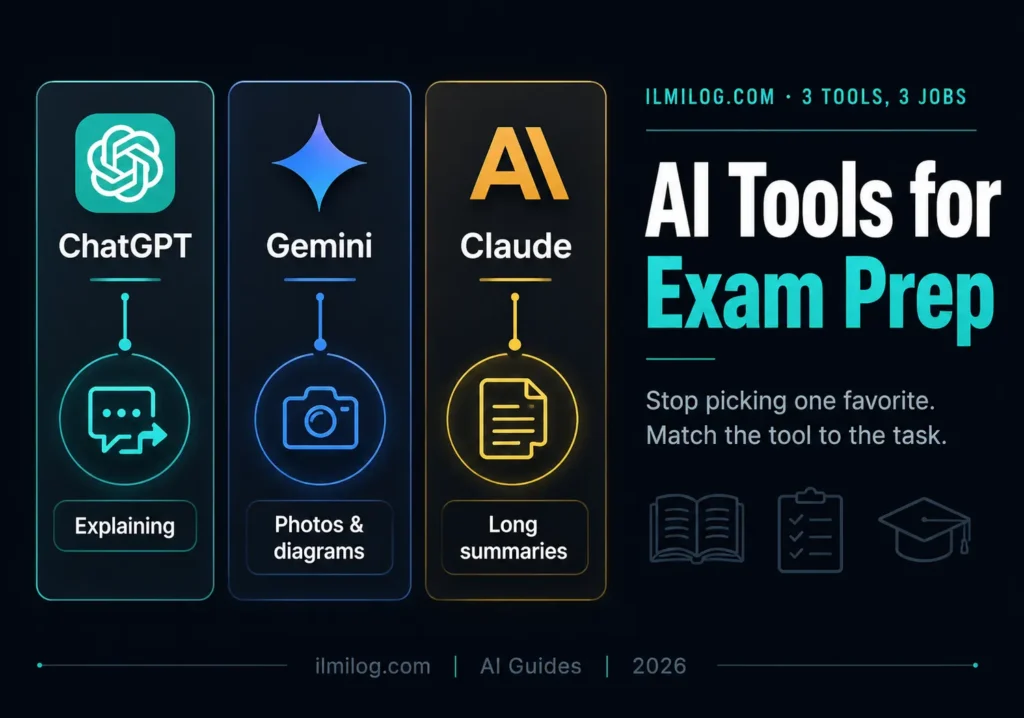
Quick Answer: No single AI tool handles every part of exam preparation well, and picking one based on which is “best” overall misses how these tools actually differ. ChatGPT tends to be strongest for step-by-step concept explanations. Gemini handles photos of handwritten notes, diagrams, and textbook pages directly, which matters for subjects with visual content. Claude holds up better across a long chapter or full past paper you paste in at once without losing track of earlier context. Matching the tool to the specific task beats picking one tool and forcing every kind of studying through it.
If you’re preparing specifically for matric board exams, our ChatGPT matric guide goes deeper into that one tool and board combination.
What you’ll learn: → Why “which AI tool is best” is the wrong starting question → Which tool actually handles a photo of your handwritten notes or a diagram → How to get a long chapter summarized without losing important details → A method for generating practice questions that match your actual syllabus, not a generic one → What none of these tools do well, and why that matters more than what they do well
Why the “Best Tool” Question Misses the Point
Most comparisons rank these tools against each other as if one will eventually win outright. That framing doesn’t match how studying actually works. Explaining a stuck concept, summarizing forty pages before a test, and generating fresh practice questions are three genuinely different jobs, and the tool that’s strongest at one isn’t automatically strongest at the others. Picking a single favorite and routing every study task through it means accepting weaker results on at least some of what you’re trying to do.
Explaining a Concept You’re Stuck On
ChatGPT tends to hold up well here, particularly when you ask it to slow down and walk through reasoning step by step rather than jumping straight to a final answer. Gemini and Claude can both do this too, and the differences between them on a single concept explanation are often smaller than people expect — the bigger gap shows up on the other tasks below, not this one.
What matters more than which tool you pick is how you ask. A vague question produces a generic paragraph regardless of the tool. Asking it to explain a concept the way your specific syllabus covers it, and to show every step rather than skip to the result, consistently produces something closer to what you actually need to write on an exam.
Turning a Photo of Your Notes Into an Explanation
This is where the tools genuinely diverge. Gemini handles an uploaded photo — a page of handwritten notes, a diagram from your textbook, a whiteboard scribble you didn’t get time to copy properly — more smoothly than typing everything out yourself. For subjects with real visual content, biology diagrams, chemistry structures, geometry figures, this is a genuinely useful shortcut rather than a novelty. Instead of retyping a confusing diagram into text and losing information in the process, you photograph it directly and ask what’s happening in each part. Our Gemini Gems exam prep guide covers a more structured version of this specific workflow with ready-made prompts.
Summarizing a Long Chapter Before a Test
Claude tends to perform more consistently here, specifically because it holds a longer piece of text in context without losing track of earlier sections. Pasting in an entire chapter, or several past papers at once, and asking for a structured summary organized by subtopic produces something more coherent than doing the same task in smaller pieces across separate conversations.
This matters most in the final week or two before an exam, when the task shifts from learning new material to consolidating a large amount of already-covered content into something reviewable in a single sitting.
Generating Practice Questions That Match Your Syllabus
Generic AI-generated practice questions tend to drift away from your specific syllabus and toward broader, more generic versions of a topic. The fix is being explicit: paste in a real past paper question first, then ask three or four new questions in the same style and difficulty, covering the same topic from different angles. This anchors the output to what your actual exam looks like rather than to a generic version of the subject the tool has seen most often in its training.
Checking Your Own Written Answer
Write your own answer to a past paper question first, without any AI help, then paste it in and ask specifically what’s missing compared to what a full-marks answer would include — not whether it’s “good,” which produces vague praise, but what specific content or structure is absent. This catches gaps in a way that simply reading a model answer afterward doesn’t, because you have to notice the difference between your own attempt and what’s actually expected.
What None of These Tools Do Well
Be honest about this part. None of them have direct access to your specific board’s exact marking scheme, so an answer that sounds complete may still be missing something a real examiner would specifically look for. Multi-step numeric calculations occasionally come out wrong even when the explanation reads confidently, so verifying against a textbook worked example matters regardless of which tool produced the answer. And none of this applies during the actual exam itself — every major board exam is closed-book and invigilated, so all of this is preparation, not something available to you on exam day.
Combining Tools Without Wasting Time
You don’t need all three running simultaneously. A reasonable default: use whichever tool you already have easy access to for day-to-day concept explanations, reach for Gemini specifically when you have a photo of notes or a diagram to work through, and switch to Claude specifically for the big consolidation pass a week or two before the exam when you’re summarizing large amounts of material at once. Switching tools mid-task rarely helps; switching between tasks is where matching the tool actually pays off.
Common Mistakes Students Make
Typing out a diagram instead of photographing it. This wastes time and loses detail that a direct photo upload preserves.
Asking for generic practice questions instead of anchoring them to a real past paper. Generic questions drift away from what your specific exam actually asks.
Reading a model answer instead of comparing it against your own attempt. You learn more from seeing the specific gap between what you wrote and what’s expected than from reading a correct answer in isolation.
Trusting a confident-sounding explanation without checking it against a textbook. Tone doesn’t indicate accuracy, especially on multi-step calculations.
Problem Diagnosis: Not Seeing Results?
If you’re spending real time on this but exam scores aren’t improving, check whether you’re using it to generate answers to copy rather than to check your own attempts — that’s the single most common reason effort doesn’t translate into results. If explanations feel generic rather than specific to your syllabus, ask explicitly for the concept “the way it’s covered in [your specific board or curriculum]” rather than accepting the first general answer. If you’re relying entirely on one tool for every task, revisit the task-based approach above rather than assuming the tool itself is the problem.
When AI Tools Aren’t the Right Fit Yet
Skip leaning on these tools heavily if: your foundation in a subject is still shaky. Textbook and teacher support for the core concepts first, with AI tools used afterward to reinforce and clarify, works better than trying to build understanding from a chat conversation alone. Skip spending significant new time exploring tools if your exam is very close and you haven’t done real timed past paper practice yet — that specific kind of practice matters more in the final stretch than anything covered here.
This is worth building into your routine if: you already have a reasonable grasp of the basics and want faster explanations, a way to process visual notes, or help consolidating a large amount of material before a test.
Decision Checklist
- I match the tool to the specific task rather than using one tool for everything → the core distinction this whole approach depends on
- I photograph diagrams and handwritten notes instead of retyping them → saves time and preserves detail
- I anchor practice questions to a real past paper rather than accepting generic ones → keeps practice relevant to my actual exam
- I write my own answer before checking it against AI feedback → produces a real gap to learn from, not just a model answer to read
- I understand none of this applies during the actual closed-book exam → keeps expectations realistic
Honest Verdict
| What Works | What Doesn’t |
| Matching the tool to the specific task | Picking one favorite tool for every kind of studying |
| Photographing diagrams instead of retyping them | Losing detail by manually transcribing visual content |
| Anchoring practice questions to real past papers | Accepting generic, syllabus-unspecific questions |
| Writing your own answer before checking AI feedback | Reading a model answer without comparing it to your own attempt |
Best for: students with a reasonable grasp of the basics who want faster explanations, help with visual content, or a way to consolidate material efficiently before a test.
Skip heavy reliance if: your foundation in a subject is still shaky, or your exam is close enough that timed past paper practice matters more than tool exploration right now.
FAQ
Q: Which single AI tool should I start with if I only want to use one?
Whichever you already have easy access to for everyday concept explanations. The task-based differences matter most for specific situations — photos of notes, long chapter summaries — not for basic day-to-day studying.
Q: Can I use these tools during the actual exam?
No. Every major board exam is closed-book and invigilated. All of this applies to preparation beforehand, not anything available on exam day.
Q: Are AI-generated practice questions as good as real past papers?
Not on their own. Anchoring generated questions to a real past paper question keeps them close to what your exam actually asks, but past papers themselves remain the more reliable source.
Q: Is it considered cheating to use AI tools for exam prep?
Using them to understand a concept or check your own attempt is studying. Copying output directly into work meant to be completed independently crosses into territory most schools have real policies against.
Q: Do these tools work well for every subject?
Reasonably well for most, though subjects requiring exact wording, specific cultural or religious nuance, or a board’s precise expected phrasing tend to be less reliable than logic-based or step-by-step subjects.
Final Recommendation
Start with whichever tool you already use comfortably for everyday explanations, add Gemini specifically when you’re working from photographed notes or diagrams, and bring in Claude for the big consolidation pass before a test. Our Gemini Gems prompts for students covers additional ready-to-use prompts across subjects if you’d rather work from a template than build questions from scratch each time.
Researched and written by the ilmilog.com editorial team. Tool capabilities confirmed against each provider’s own current documentation as of July 2026. This article reflects general study strategy, not official exam board policy — always confirm your specific school and board’s current rules on AI tool use directly with your teacher or board.