O Level AI Tools: The Resource Most Students Never Read
Quick Answer: There’s a resource Cambridge O-Level students have that Pakistani board students don’t get in the same form — official examiner reports published alongside every past paper, explaining exactly where students lose marks and why. The most useful AI application here isn’t a general chatbot; it’s feeding those official documents into a tool that answers strictly from them. Beyond that, a flashcard tool for the heavy vocabulary and definition load, and a translation tool for second-language subjects, cover gaps a general chatbot handles less reliably.
If you’re also taking Cambridge Additional Mathematics or a heavily numerical subject, our guide to AI tools for intermediate-level students covers computation-focused tools that apply just as well here.
What you’ll learn: → How to actually use Cambridge’s own published examiner reports with an AI tool, not just read them → A flashcard tool built specifically for the vocabulary and definition-heavy subjects Cambridge syllabuses lean on → A translation tool worth knowing about if you’re taking a second-language subject → Where a general chatbot still fits into this picture, and where it doesn’t → How to pick tools by subject group instead of trying everything at once
The Resource Most Guides Skip Past
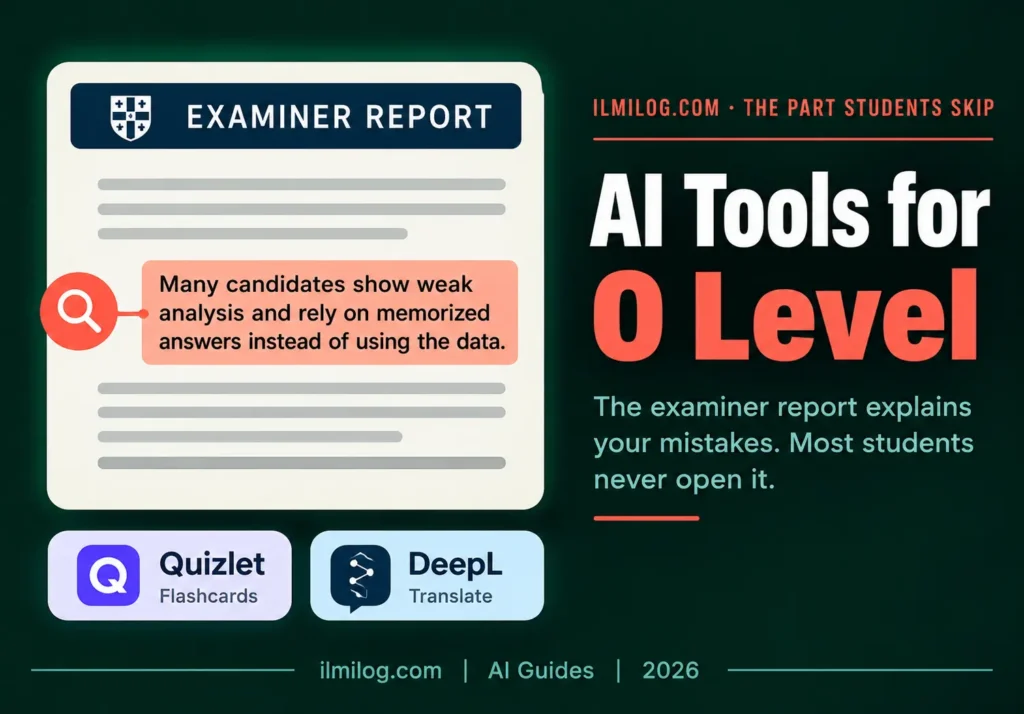
Every Cambridge syllabus page publishes past papers alongside two things worth far more attention than they usually get: the official mark scheme, showing exactly what earns each mark, and the examiner report, which explains in plain language where students across the world lost marks on that specific paper and why. Cambridge’s own support documentation confirms these sit right on each syllabus page, not hidden behind anything complicated.
Most study advice treats past papers as practice questions and stops there. The examiner report is arguably more useful than the paper itself, since it tells you the specific, recurring mistake pattern examiners see year after year — information a general chatbot has no direct access to, because it isn’t trained specifically on this year’s or last year’s Cambridge examiner commentary.
Turning Examiner Reports Into a Study Tool
This is where a document-grounded tool earns its place. Upload a subject’s examiner report and mark scheme as source material into a tool built for exactly this — Google’s NotebookLM is a solid option — and every answer it gives back is grounded specifically in what you uploaded, with direct references back to the source rather than a generic answer pulled from general training.
Ask it directly: what mistakes did examiners flag most often in this session, and how does the mark scheme actually award partial credit on a structured question. This produces something far more specific and useful than asking a general chatbot the same question without that source material behind it, since the chatbot would be guessing at Cambridge’s specific marking approach rather than reading it directly.
Examiner reports are typically organized question by question, walking through what most candidates did well, where marks were commonly lost, and occasionally noting a misconception that appeared repeatedly across scripts. Feeding that structure into a document-grounded tool and asking it to summarize the recurring weaknesses across an entire subject, rather than just one paper, surfaces patterns that are easy to miss reading reports one session at a time on your own.
Quizlet for the Vocabulary and Definition Load
Cambridge syllabuses, across sciences, humanities, and languages, lean heavily on precise terminology and defined vocabulary that needs to be genuinely memorized, not just conceptually understood. Quizlet is built specifically around spaced repetition flashcards, which suits this kind of memorization work better than a conversational chat tool does — you’re not trying to understand a new concept here, you’re trying to make a term or definition stick through repeated, timed review.
Building a deck from your syllabus’s key term list, or from vocabulary flagged in an examiner report as commonly confused, turns a static list into something you actually review repeatedly rather than read once and forget.
DeepL for Second-Language Subjects
If you’re taking French, German, Urdu as a Second Language, or a similar subject, DeepL handles translation and phrasing checks more naturally than a general chatbot typically does for this specific task, particularly for checking whether a sentence you’ve written actually reads the way you intended in the target language. It’s not a replacement for learning grammar rules directly, but as a way to check your own written practice sentences before submitting them for review, it’s a genuinely useful second opinion.
Where a General Chatbot Still Fits
None of this replaces ChatGPT or Gemini for what they’re actually good at — explaining a concept you’re stuck on, working through an English Literature or English Language essay structure, or talking through a History or Geography topic conversationally. Our general AI exam prep guide covers that side of studying in depth. The tools above aren’t replacements for a general chatbot; they’re additions for the specific tasks — official document review, memorization, and translation checking — that a general chatbot handles less precisely.
Picking Tools by Subject Group
Sciences and Mathematics: the examiner-report approach above, paired with a computation tool for Additional Mathematics or Physics numericals. Chemistry and Biology examiner reports frequently flag the same handful of terminology mix-ups year after year, which makes them especially worth reading closely rather than skimming.
Languages, including English as a First or Second Language: Quizlet for vocabulary, DeepL if you’re working in a second language specifically, and a general chatbot for essay structure and grammar feedback.
Humanities — History, Geography, Business Studies: the examiner-report method matters most here, since these subjects reward matching Cambridge’s specific expected answer structure closely, which is exactly what examiner reports explain in detail. A common pattern flagged across these subjects is candidates writing accurate content that doesn’t directly answer the command word in the question — “explain” versus “describe” versus “evaluate” each expect a different structure, and examiner reports consistently point this out as a recurring, avoidable loss of marks.
Common Mistakes Students Make
Reading past papers without ever opening the examiner report. The report is where the specific, recurring mistake patterns are explained — skipping it means repeating errors previous cohorts already made and had explained to them.
Using flashcards for concepts instead of definitions. Quizlet-style repetition suits memorized terms well; it’s the wrong tool for building conceptual understanding, which needs a different kind of study entirely.
Relying on a general chatbot for exact Cambridge mark-scheme wording. A chatbot’s general knowledge of a topic isn’t the same as this specific session’s official marking guidance — the two can genuinely disagree.
Skipping DeepL’s context check and trusting a first translation attempt blindly. A quick second check against how a sentence actually sounds in context catches errors a single automated pass alone won’t.
Problem Diagnosis: Not Seeing Results?
If your exam-style answers keep losing marks in the same way despite feeling well-prepared, that’s specifically the moment to go back to the relevant subject’s examiner report rather than more general revision — it’s likely explaining exactly the gap you’re running into. If flashcard review feels like it’s not sticking, the issue is often review frequency rather than the tool itself; spaced repetition needs genuinely repeated short sessions, not one long cram. If a translated sentence still feels off after using DeepL, reading it aloud in the target language often reveals what an automated check alone misses.
When You Don’t Need All of These
Skip the examiner-report approach if: you’re confident in a subject and consistently scoring well on past papers already — this method solves a specific, recurring-mistake problem, and if you’re not experiencing that problem, the extra step adds little. Skip Quizlet if your subjects are mostly conceptual and numerical rather than definition-heavy; it solves memorization friction specifically, not conceptual gaps.
This is worth building into your routine if: you keep losing marks in a pattern you can’t quite pin down on your own, or you’re taking at least one heavily vocabulary- or definition-based subject where repeated review would genuinely help.
Decision Checklist
- I’ve read the examiner report for a subject, not just the past paper itself → this is the resource most study routines skip entirely
- I’m using a document-grounded tool for official mark scheme and examiner report review, not a general chatbot alone → keeps answers grounded in what Cambridge actually says
- I’m using flashcards specifically for memorized terms, not for building conceptual understanding → matches the tool to the right kind of studying
- I’m double-checking DeepL output by reading it aloud or in context → catches what an automated pass alone misses
- I know which subjects need which of these tools rather than applying all of them everywhere → keeps the approach efficient
Honest Verdict
| What Works | What Doesn’t |
| Reading examiner reports alongside past papers, not instead of them | Treating past papers alone as complete exam preparation |
| A document-grounded tool for reviewing official Cambridge materials | A general chatbot’s guess at this session’s specific marking approach |
| Flashcards for memorized terms and definitions | Flashcards used to try to build conceptual understanding |
| A second check on DeepL output before trusting it fully | Accepting a first automated translation without review |
Best for: O-Level students who’ve noticed a recurring pattern in lost marks, or who are taking definition-heavy or second-language subjects specifically.
Skip the extra tools if: your current study routine is already producing consistent results and you’re not running into the specific friction points these solve.
FAQ
Q: Where do I actually find Cambridge’s official examiner reports?
On each subject’s syllabus page on Cambridge’s own site, alongside the past papers and mark schemes for that session.
Q: Is a flashcard tool actually better than a chatbot for memorizing vocabulary?
For pure repetition-based memorization, generally yes — spaced repetition is built specifically for that kind of retention, which a conversational tool isn’t optimized for in the same way.
Q: Do I need DeepL if I’m not taking a language subject?
No, it’s specifically useful for second-language subjects like French, German, or Urdu as a Second Language, and adds little value outside that context.
Q: Can a general chatbot replace reading the examiner report myself?
Not fully — a chatbot’s general knowledge isn’t the same as this specific session’s official marking guidance, so uploading the actual report into a document-grounded tool produces more accurate, session-specific answers.
Q: Which of these tools should I try first?
Whichever solves your most immediate friction point. If you keep losing marks in a pattern you can’t explain, start with the examiner-report method. If memorization is your bottleneck, start with flashcards.
Final Recommendation
Read the examiner report for your weakest subject before your next revision session, not after — it’s the single highest-leverage resource covered here and the one most study routines skip entirely. For structured prompts to use alongside whichever tools fit your subjects, our Gemini Gems prompts for students is worth trying too.
Researched and written by the ilmilog.com editorial team. Tool capabilities and Cambridge resource details confirmed against each provider’s own current documentation as of July 2026. This article reflects general study strategy, not official exam board policy — always confirm your specific school’s current rules on AI tool use directly with your teacher.