ChatGPT Prompts for YouTube Scripts: Hook to Outro
Read these two lines out loud. The first one: “Furthermore, it is important to note that audience retention depends on several interconnected factors.” The second one: “Here is the thing nobody tells you about retention.”
The first sounds like a report. The second sounds like a person. Most scripts from a chatbot are full of the first kind, and viewers feel it within seconds, even if they could not explain why they clicked away.
That is the real problem. A script is written to be heard, not read. ChatGPT can do this well, but only when you brief it like a producer instead of typing a topic into a box. This guide gives you copy-ready prompts for every part of a video, a master prompt, prompts for five video types and an editing routine that makes the result sound like you.
QUICK ANSWER: Tell ChatGPT who is watching, what the video promises and how it should sound. Ask for short spoken sentences, one idea per beat and a hook before any introduction. Then read the result out loud and fix every line that makes you stumble.
If your channel does not show a face, our guide to faceless channels explains which formats work, and every prompt below fits them.
Brief it like a producer
A blank request such as “write a script about saving money” gives ChatGPT nothing to aim at. It guesses a viewer, a tone and a length, and it fills the gaps with safe, generic phrases. The result is flat because the brief was empty.
The fix is a channel brief. You paste it once at the start of a chat, and every script in that chat follows it. Here is a template you can copy and fill in:
You are a scriptwriter for a YouTube channel. Here is the channel brief. Follow it for this whole chat. Channel topic: [topic] Viewer: [who they are, age range, what they already know, what they struggle with] Tone: [for example calm and clear, quick and funny, serious and warm] Video length: [minutes], spoken at about 150 words per minute Language: simple spoken English, short sentences, contractions allowed Never use these words or phrases: furthermore, moreover, in conclusion, in today’s fast-paced world, let’s dive in, it’s important to note, delve, game-changer, unlock Never invent statistics, quotes, studies or sources. If a fact is needed, write [CHECK] after it so I can verify it myself. Reply with the word ready and wait for my video idea.Three parts of this brief do most of the work. The viewer line stops the script from talking to nobody. The banned list removes the stiff phrases that give AI writing away. The [CHECK] rule keeps made-up facts from slipping into a video that thousands of people may watch.
OpenAI also publishes its own OpenAI guide to writing clear instructions, and the basic habits it describes are the same ones used here: give context, be specific about the format and say what to avoid.
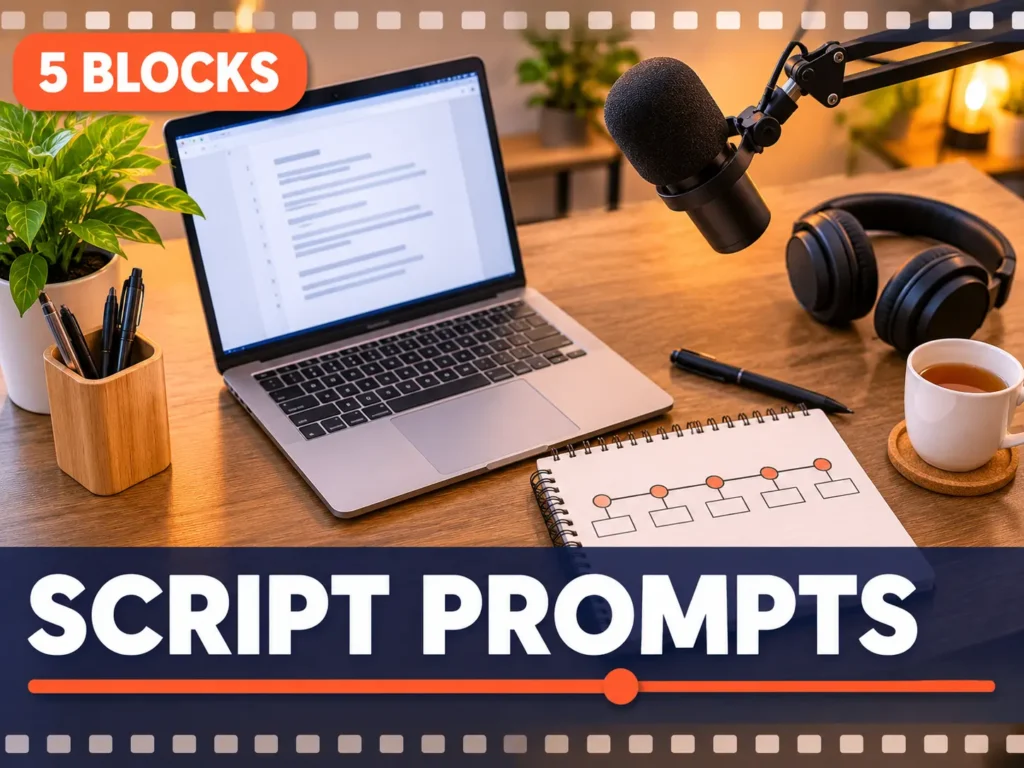
A script in five blocks
Most good videos follow the same shape. Seeing it laid out makes the prompts below easier to place. This bar shows an eight-minute video, with each block drawn roughly in proportion:
Each block has its own job, and each one gets its own prompt. Writing them separately gives you far more control than asking for a whole script at once, because you can swap a weak hook without touching the rest.
Block one: the hook
The hook has about fifteen seconds to give a stranger a reason to stay. Ask for many options, then choose. One result is a guess. Ten results are a menu.
Write 10 different hooks for a YouTube video about [topic]. The viewer is [viewer]. Each hook must be 1 to 3 spoken sentences and under 40 words. Use these five styles, two hooks each: a surprising fact I can verify, a mistake most beginners make, a bold but honest claim, the start of a short story, a question the viewer is already asking. Rules: no greeting, no channel name, no “in this video”, no promise I cannot deliver. After each hook, add one line starting with PROOF that says what the video must show to keep that promise. Mark any fact with [CHECK].The PROOF line is the secret. A hook that promises something the video never delivers is a quick path to people clicking away, and this line forces you to see the gap before you record.
Block two: the promise
Right after the hook, tell the viewer what they will get. Keep it short, specific and honest.
Here is my hook: [paste hook]. Write the 20-second setup that follows it. It must do three things: say clearly what the viewer will know or be able to do by the end, give one reason to stay until the final minute, and skip any long introduction or personal history. Use short spoken sentences. Give me three versions: calm, energetic and curious. Under 60 words each.Block three: the body
The body is where scripts drift. Build the outline first, then write one beat at a time. This keeps every section tight.
Turn this idea into a body outline with [number] beats: [idea]. For each beat give me: the single idea in one sentence; the example, comparison or short story that makes it clear; what the viewer should feel or understand at the end of the beat; and a one-line bridge into the next beat. Order the beats so the most surprising or useful one lands in the middle, not the first minute. Mark any spot where a visual or a change of pace would help in [square brackets].Then write each beat on its own. This stops the tool from rushing through the middle of the video.
Write beat [number] of the script, using the outline above and the channel brief. Spoken style, 120 to 180 words. Start with the point, not with a setup. Include one concrete example with specific details, but do not invent facts and mark anything uncertain with [CHECK]. End with a short bridge line that gives the viewer a reason to keep watching.Attention dips happen in the middle, so add a rescue pass once the draft is finished.
Read the script below as a bored viewer. Find 8 places where attention might drop. For each one, give the line number or first words and a fix: a question, a short story, a contrast, a quick list, a change of tone or a note for a visual. Do not change any facts. [paste script]Block four: the payoff
The payoff is the moment the video delivers what the hook promised. Many scripts rush it or repeat everything. Keep it small and clear.
Write the payoff for this video in about 30 seconds of speech. First, state the main takeaway in one memorable sentence. Then give the viewer one small action they can try today. Do not summarize the whole video. Here is the hook it must answer: [paste hook].Block five: the ending
A good ending feels like a natural next step, not a plea. Ask for options and pick the one that sounds like you.
Write 3 different endings for this video, each under 25 words. Each one must include one natural invitation to watch a related video or subscribe, tied to the topic of this video. No begging, no “smash that button”, no long thank-yous. Related video idea: [idea].The master prompt
When you want a full draft in one go, use a single detailed brief. It combines everything above, and it works best after you have pasted the channel brief at the top of the chat.
Write a complete YouTube script from the brief below. VIDEO IDEA: [idea] VIEWER: [who they are] PROMISE: [what the viewer gets by the end] LENGTH: about [number] words, roughly [minutes] minutes spoken TONE: [tone] STRUCTURE 1) A hook of 1 to 3 sentences. 2) A 20-second setup that states the promise. 3) [number] body beats, each with one idea and one concrete example. 4) A payoff that delivers the promise in about 30 seconds. 5) A short ending with one natural invitation to watch the next video. STYLE RULES Write for the ear, not the eye. Use short sentences, one idea each. Contractions are fine. Ask the viewer a question every few paragraphs. Use plain words a 12-year-old would understand. Never list more than three items in a row. No greeting, no filler opening, no “in this video”. FACT RULES Do not invent statistics, quotes or studies. Mark anything that needs checking with [CHECK]. FORMAT Label each section. Put visual or editing notes in [square brackets] on their own lines. After the script, list every [CHECK] item in a short list at the end.If you also use ChatGPT for client work, our freelancer prompts show more ways to brief it, and the same producer mindset applies.
Prompts for five kinds of video
Different videos need different shapes. Add one of these to your master prompt to change the structure of the body.
The explainer
Good for “how does it work” topics. Each concept gets an analogy.
Write the body as an explainer. Use this order for each concept: what it is in one plain sentence, why it matters to the viewer, how it works step by step, and the most common mistake. Give each concept one everyday analogy. Never use jargon without explaining it in the same sentence.The ranked list
Good for “best of” and “top” videos. The trick is that every item earns its place.
Write the body as a countdown of [number] items, from least to most important. For each item give: the claim in one sentence, a piece of proof or a specific example, and one situation where it does not apply. Add one short transition between items that raises curiosity about the next one.The true story
Good for history, biography and case studies. It needs a clear arc.
Write the body as a story with this arc: setup, rising tension, turning point, result, lesson. Use only the facts I provide below and mark every gap with [CHECK]. Do not invent dialogue, names or dates. Keep the narration in the past tense and add a one-line lesson at the end that the viewer can use. Facts: [paste facts].The tutorial
Good for step-by-step skills. Each step needs a way for the viewer to know it worked.
Write the body as a tutorial with [number] steps. For each step give: what to do, why it matters, what commonly goes wrong, and what success looks like on the screen. After every second step add a short checkpoint that tells the viewer what they should have by now.The comparison
Good for choosing between two options. Fair comparisons build trust.
Write the body as a comparison of [option A] and [option B]. Use 4 criteria that matter to [viewer]. Judge each criterion fairly and mention at least one real weakness of the option you prefer. End with a verdict for three types of viewer. If any part of this video is sponsored or uses affiliate links, add a line for the disclosure.Make it sound spoken
A first draft almost always reads better than it sounds. The editing pass is where a script starts to sound like a person.
Rewrite the script below so it sounds like a real person talking to one viewer. Keep every fact and every [CHECK] mark exactly as it is. Shorten sentences so the average is under 18 words. Replace formal words with everyday ones. Add natural connectors like “so”, “now” and “here’s the catch” where they fit. Cut any sentence that repeats an earlier one. Do not add new facts. When you finish, list the 5 biggest changes you made. [paste script]Next, scan for leftovers. Even with a banned list, some stiff phrases survive.
Scan the script below for phrases that sound written rather than spoken, or that sound like generic AI writing. List each one with the line it appears in and a plain replacement. Look especially for openings like “in the world of”, closings like “in conclusion”, and words such as crucial, vital, landscape, realm and leverage. [paste script]Then do the test that no tool can do for you. Read the script aloud at normal speed. Every place you stumble, run out of breath or feel silly is a place to rewrite. A free tool such as Hemingway Editor also highlights long, hard sentences, which makes the quickest fixes easy to spot.
Timing is the last check. At about 150 words per minute, a 1,200-word script runs for nearly eight minutes. If you are far over, ask ChatGPT to cut the weakest beat instead of rushing every beat.
Cut this script to [number] words. Remove the weakest beat first, then repeated explanations, then filler words. Keep the hook, the promise and the payoff exactly as they are. Tell me which parts you removed and why. [paste script]Facts, originality and platform rules
A fluent script can still be wrong. ChatGPT sometimes states invented numbers with complete confidence, and a published video cannot be corrected as easily as a draft.
Use the [CHECK] marks from your brief, and run a dedicated pass before you record:
List every factual claim in the script below, including numbers, dates, names and cause-and-effect statements. Sort them into three groups: common knowledge, needs a source, and opinion. For each claim that needs a source, write what I should look up and what kind of source would be reliable. Do not confirm any claim yourself. [paste script]Then verify those claims with real sources, and keep a short note of where each one came from.
Originality matters as much as accuracy. YouTube’s rules reward videos that add real value, and mass-produced, repetitive content can lose monetization. Realistic synthetic content may also need a disclosure. The rules change, so read the current policy on YouTube Help before you build a channel around any shortcut.
A simple test keeps you on the safe side. If a viewer could not tell your video from a hundred others on the same topic, add something only you can add: a clearer explanation, a better example, a real comparison or your own judgment.
A prompt chain for one video
Put the pieces together and one video becomes a short chain of focused requests, each building on the last.
- Brief. Paste the channel briefly and wait for “ready”.
- Angle. Ask for five different angles on the topic and choose the one with the clearest promise.
- Hook and promise. Run the hook prompt, pick one, then write the setup.
- Outline and beats. Build the body outline, then write each beat on its own.
- Payoff and ending. Write both, then check they answer the hook.
- Edit. Run the spoken pass, the phrase scan and the attention rescue, then read it aloud.
- Fact check. Run the claim list and verify each item yourself.
The angle step is worth a prompt of its own, because a strong angle does more for a video than any amount of polishing.
Give me 5 different angles for a YouTube video about [topic] for [viewer]. For each angle, write a one-sentence promise, name the viewer’s main worry it answers, and say why it would be different from the usual videos on this topic. Rank them from strongest to weakest and explain the ranking in one line each.For polishing the finished text, our editing guide goes deeper into making AI writing read like it came from a person.
Frequently Asked Questions
Can ChatGPT write a full script in one go?
Yes, but the result is usually flat. Writing the hook, the body beats and the ending in separate steps gives you more control and a stronger final script.
How long should a script be?
Spoken delivery runs at about 130 to 160 words per minute. A script of roughly 1,200 words lands near eight minutes, so work backward from the length you want.
How do I stop the script sounding robotic?
Give a clear viewer and tone, ban stiff phrases, ask for short sentences and always read the script aloud. Rewrite every line you stumble on.
Why does ChatGPT repeat itself in long scripts?
It loses track of what it has already said. Write one beat at a time, remind it of the outline, and use the cut prompt to remove repeated explanations.
Can I use these prompts for any niche?
Yes. The structure works for any topic. Only the viewer, tone and examples change, so fill the brief carefully for your niche.
Do I really need to check the facts?
Yes. ChatGPT can state wrong numbers with confidence. Mark uncertain claims, verify each one with a reliable source and remove anything you cannot confirm.
Is it acceptable to post a script written with AI help?
Often yes, if the video is original, useful and follows the platform’s current rules. Add your own examples and judgment, and check the latest policy on repetitive content and disclosures.
How many hooks should I test?
Generate ten, shortlist two or three and read them aloud. The one you can say naturally in a single breath is usually the best choice.
Start with one video
You do not need a perfect system. Paste the channel brief, run the hook prompt and write one beat. If it sounds like you when you read it out loud, you are on the right track.
Save the prompts that work in a note, and change one thing at a time as you learn what your viewers respond to. When you want more ready-made prompts to build on, our collection of prompt packs is a good next step.