ChatGPT Prompts for YouTube Titles: A Title Clinic
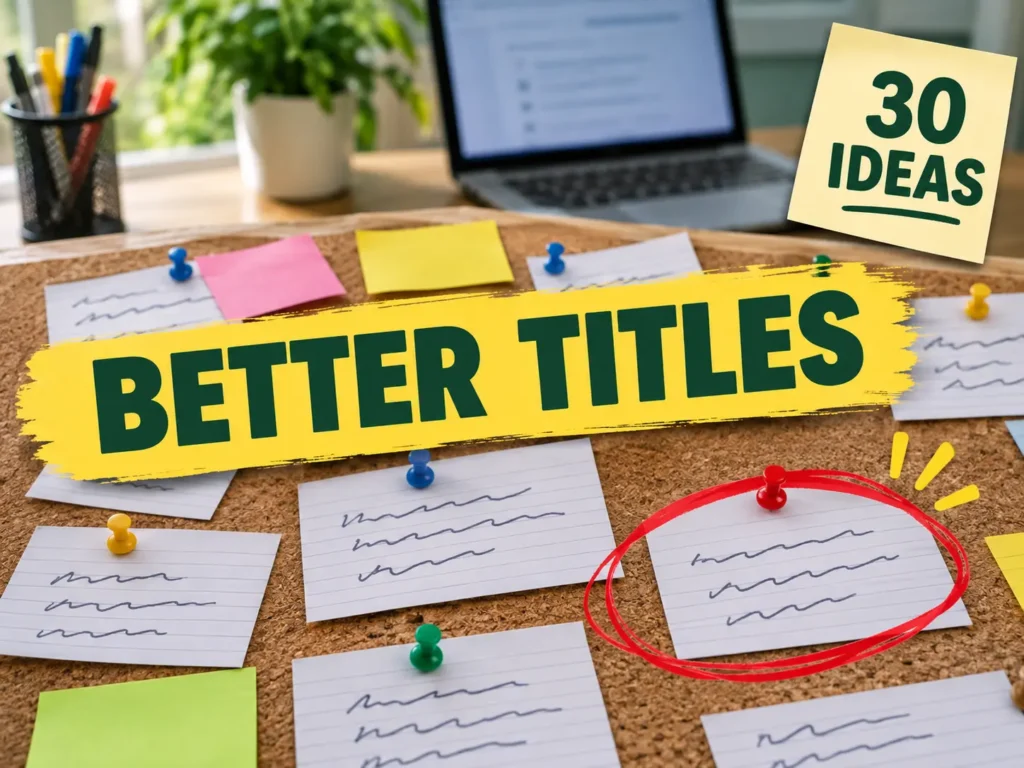
Two videos can teach exactly the same thing. One gets a few hundred views and the other gets ten times as many. Very often the biggest difference is a line of about eight words: the title.
A title has one job. It must make the right viewer think, “That is for me, and I want to know more.” That sounds simple, yet most titles fail in the same few ways. They are vague, too long, too loud or too dull.
ChatGPT is good at the part most people find hard, which is writing many options quickly. It is bad at knowing your viewer, so every prompt below gives it one. This guide works like a clinic: six weak titles, six fixes, and the exact prompts you can use on your own videos.
Keep it near sixty characters, put the main topic first, and never promise anything the video cannot prove.
A good title also needs a good video behind it. If the script is still on your list, our script prompts cover that side of the job.
Six patients, six fixes
Every weak title has a diagnosis. Learn to name the problem, and the fix becomes obvious. These examples are made up for teaching, but you will recognize the patterns.
Patient one: the vague title
Diagnosis: no promise and no detail. A stranger cannot tell what they will learn, so there is no reason to click.
Patient two: the title that is too long
Diagnosis: long titles get cut off on phones, and the promise sits at the end where nobody sees it.
Patient three: the loud title
Diagnosis: big promises the video cannot keep make viewers leave early, and misleading titles can break platform rules.
Patient four: the title with no context
Diagnosis: file names help you, not strangers. A title must make sense to someone who has never seen your channel.
Patient five: the stuffed title
Diagnosis: repeated words look like spam. One clear phrase plus a promise beats a pile of related words.
Patient six: the title that is too broad
Diagnosis: too general. A narrow viewer and a specific problem make a title feel written for one person.
Notice what the fixed titles share. Each has a clear topic, a concrete detail such as a number or a time, and a reason to care. None uses capital letters for shouting, and none repeats itself.
The toolkit: prompts that do the same job
Now the useful part. Each prompt below does one job in the clinic. Replace the parts in square brackets, paste your own facts, and keep one rule in mind: ChatGPT can only be as specific as the information you give it.
Tool one: the thirty-title generator
Start with quantity. A list of thirty options across six styles shows you what is possible, and the best title is rarely the first one.
You are a YouTube title writer. Write 30 title options for the video below. VIDEO: [one paragraph describing what the video teaches or shows] VIEWER: [who they are, what they already know, what worries them] PROMISE: [what the viewer gets by the end] PROOF: [the result, example or demo that backs the promise] TONE: [calm, curious, funny or serious] Write 5 titles in each of these six styles: 1) a how-to with a clear result 2) a number or a list 3) a mistake or a warning 4) a comparison or a versus 5) a surprising but true angle 6) a direct question the viewer is already asking RULES: keep every title under 60 characters. Put the main topic phrase in the first half. Use plain words. No ALL CAPS, and no more than one exclamation mark in the whole list. Do not promise anything the video cannot prove. Do not invent numbers or results that I did not give you. FORMAT: a numbered list. After each title, show its character count in brackets.The PROOF line matters most. It stops ChatGPT from writing exciting titles that the video cannot support, and it gives the model real details to work with.
Tool two: the clinic rewrite
Use this when you already have a title that feels weak. It names the problem first, which teaches you to spot it next time.
Here is a weak title: [title]. The video is about: [description]. First, diagnose the problem in one line. Choose from: vague, too long, too loud, missing context, repeated words, too broad. Then write 5 rewrites that fix that exact problem. Keep each under 60 characters. Keep the topic the same, and do not change what the video promises. After each rewrite, say in a few words what changed.Tool three: the trimmer
Titles that run too long are cut off on phones. This prompt shortens them without losing the point.
Shorten each title below to 55 characters or fewer. Keep the main topic phrase and the promise. Remove filler words such as really, very, ultimate, complete, everything and amazing. Give two options for each title and show the character count in brackets. Titles: [paste titles]Tool four: the front-loader
Viewers skim. The first few words decide whether they keep reading, so the main topic should come first and the angle second.
Rewrite each title so the main topic phrase appears in the first 35 characters, and the rest adds the angle or the benefit. Do not change the meaning. Do not add new claims. Main topic phrase: [phrase] Titles: [paste titles]To see how people word a topic and how interest in it changes over time, Google Trends is a free way to compare two or three phrasings before you decide.
Tool five: the honesty audit
A title can be exciting and still true. This prompt checks each candidate against what the video really contains.
Audit each title below against the video description. For each title answer three questions: 1) Does the video deliver everything the title promises? 2) Does the title use exaggeration, such as always, never, secret, guaranteed or shocking? 3) Is there a word a viewer could misunderstand? Give a verdict for each title: honest, risky or misleading. For risky and misleading titles, write a safer rewrite that keeps as much curiosity as possible. VIDEO DESCRIPTION: [description] TITLES: [paste titles]Tool six: the scorecard
When you have a dozen good options, taste starts to fail. A scorecard forces the choice.
Score each title below from 1 to 5 on five points: clarity, specificity, curiosity, honesty and length. Add the scores into a total out of 25. Show a table with the titles in order of total score. Then recommend the top 3 and explain in one sentence what makes each one stronger. Be strict: give a 5 only when a title is excellent, and mention any title that has a hidden weakness. Viewer: [viewer] Titles: [paste titles]Tool seven: the series maker
If your channel makes a series, the titles should feel related without becoming dull.
I am making a series of [number] videos about [topic] for [viewer]. Create a title pattern for the series. Give me: a repeating structure that keeps every title clear without a part number at the start, 10 example titles that follow it, and one short rule I can use to write future titles in the same style. Keep each title under 60 characters.Tool eight: the three-timeline writer
The same video can be framed as an evergreen idea, a trend or a timely topic. Seeing all three makes it easier to choose.
Write three versions of the title for one video: one evergreen version that stays true for years, one that connects to a current trend, and one that uses a timely hook such as a season or an event. Topic: [topic]. Do not claim any event happened unless I give it to you. Keep each title under 60 characters.Faceless channels depend on titles even more, because there is no face or personality to attract attention. If you run one, our guide to faceless channels shows what works.
Tool nine: the old-video rescue
Some videos have good watch time but few views. Their titles may be the problem, and a new title is a free experiment.
Here is a list of my older videos with titles, views and average view duration: [paste list] Pick the 5 videos that have good watch time but low views, because their titles may be the problem. For each one, explain in one line what is weak about the current title, then write 3 new titles. Keep the topic unchanged. Do not suggest changing the video itself.The rules behind the fixes
The prompts work because they follow a few habits that good titles share. Knowing the reasons helps you judge ChatGPT’s answers instead of trusting them blindly.
Length. Titles get shortened on many screens, and the cutoff varies by device. Around sixty characters is a safe target, and anything that matters should appear early.
Specific beats general. “Save money” is vague. “Save 20% of a small salary” gives the mind something to picture. Numbers, time limits and named situations all help.
One idea. Do not squeeze three promises into one title. Pick the strongest and let the video cover the rest.
Plain words. Titles should sound like a person. Phrases such as “ultimate guide” or “game-changing secrets” make titles feel generated, and viewers have learned to ignore them.
Calm emphasis. One strong word is enough. Rows of capital letters and exclamation marks make a channel look desperate.
Honest curiosity. A good title leaves a gap that the video fills. A bad title leaves a gap that the video never fills.
Shapes that suit each kind of video
Not every video wants the same title. A tutorial promises a result. A review promises a fair answer. A story promises tension. Matching the shape to the video makes the promise feel natural.
Tutorials work best with a result and a method, such as “Learn Basic Excel Formulas in 30 Minutes”. Reviews work with a clear question, such as “Is It Worth Buying?”, followed by an honest limit like “after a month”. Stories work when the title hints at the problem without giving away the ending. Lists work with a number and a claim. Explainers work with the topic and the word “simply” or “in plain words”.
If you make the same kind of video again and again, build reusable shapes. Ask ChatGPT to do the first draft:
I make [type of video] about [topic] for [viewer]. Give me 6 reusable title shapes as fill-in-the-blank templates, for example “[Number] [Mistakes] That [Cause a Problem] in [Situation]”. For each shape, write two finished example titles, say which kind of video it suits best, and warn me about one way the shape can go wrong. Keep every example under 60 characters.Testing titles with real viewers
No prompt can tell you what your audience will click. Only viewers can. That is why the last step is a test.
Inside YouTube Studio you can see impressions and click-through rate for every video, and some channels have access to built-in tools for testing titles and thumbnails. Availability changes, so check what your account offers.
If you test by hand, change only the title and leave everything else alone, so the result means something. Give each version enough time and impressions before you judge it, because a weekend’s numbers can look very different from a week’s.
I have three candidate titles for one video: [titles]. Create a simple test plan for me. Tell me what to measure (click-through rate, average view duration, and views from browse and suggested), how many days or how many impressions to wait before judging, how to avoid changing more than one thing at a time, and what result would make me keep or replace a title. Keep the plan short enough to follow without a spreadsheet.Click-through rate is only half the story. A title that gets clicks but loses viewers in the first thirty seconds has made a promise the video did not keep. Watch average view duration next to click-through rate, and favor titles that win on both.
Where honest titles protect you
Platforms treat misleading titles seriously. Titles that promise something the video does not show can lose reach, and repeated problems can affect a channel. YouTube explains its rules about deceptive practices on YouTube Help, and policies change, so read the current version before you rely on a risky style.
The simple rule is that every claim in a title should be something you could point to in the video. If you cannot show it, remove it.
Be careful with facts, too. If a title includes a number, a date or a named result, make sure it is correct. ChatGPT can invent figures that look real, so any number you did not provide should be checked by hand before it appears on a published video.
Cutting the words that sound generated
Some words appear in AI titles so often that viewers read them as filler. Add this list to your prompts as a ban, and the lists get cleaner immediately.
ultimate, complete guide, game-changing, game changer, secret, secrets, shocking, revolutionary, unlock, mind-blowing, you won’t believe, everything you need to know, step into, master, superchargeEven with a ban list, a few stiff phrases get through. Our editing guide explains how to catch the rest and make AI writing sound like a real person, and the same eye works on titles.
The five-second check
Before you publish, run a quick test that costs nothing. Show the title to someone who has never heard of your channel for five seconds, then hide it and ask what the video is about. If they cannot say, the title is not clear enough.
Read it aloud, too. Awkward titles trip the tongue. Then look at it as a phone would show it, with the first words fully visible, and confirm that the main topic appears before any cutoff.
Finally, compare the title with the first thirty seconds of your video. They should feel like one promise made twice. If the title says one thing and the opening says another, fix the one that is weaker.
Frequently Asked Questions
How long should a YouTube title be?
Aim for about 60 characters or fewer. Titles are cut off on many screens, so the main topic and the promise should appear in the first half.
Can ChatGPT write a good title on its own?
It can write many options quickly, but it does not know your viewer or your video unless you tell it. Give it the promise, the proof and the viewer, then choose and edit yourself.
How many titles should I generate for each video?
Thirty is a good starting number. Shortlist five, score them, and read the top three aloud before you decide.
Should I use numbers in titles?
Often yes, because numbers make a promise concrete. Use them only when they are true and when the video really covers that many points.
Is it fine to use capital letters for emphasis?
One or two words are fine when they help. Whole titles in capitals look loud and can feel untrustworthy, so keep normal capitalization for most titles.
What is the difference between curiosity and clickbait?
Curiosity creates a gap that the video fills honestly. Clickbait creates a gap that the video never fills. Use the audit prompt to check which one a title is.
Can I change the title of a video after it is published?
Yes, and many creators do. Change only the title, give it enough time, and compare click-through rate and view duration before and after.
Do I need to include the main topic phrase exactly?
Include it naturally, preferably early. Viewers need to see the topic at a glance, but forcing the same phrase into every title makes a channel look repetitive.
Start with one old video
You do not have to rebuild your whole channel. Pick one video with decent watch time and a weak title, run the clinic rewrite and the scorecard, and swap in the winner.
Watch what happens over the next week, write down what you learned and apply it to the next upload. When you want more ready-made prompts to build on, our collection of prompt packs is a good next step.