How to Create & Sell Digital Products with AI (Complete Guide 2026)
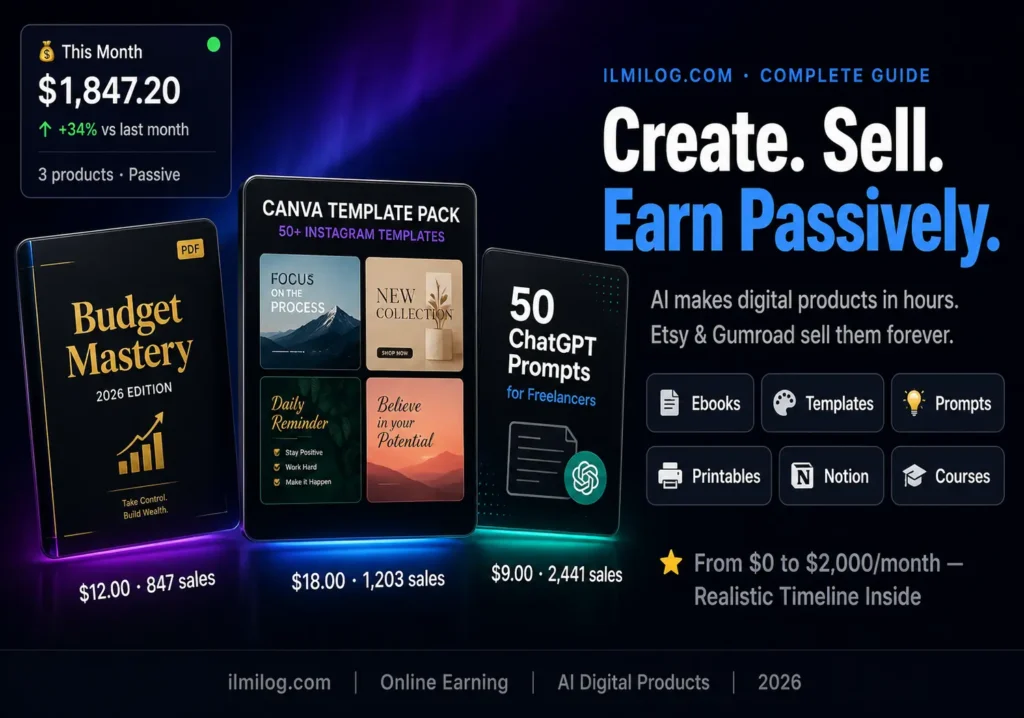
Quick Answer: You can create digital products with AI in hours, not weeks — ebooks, templates, prompt packs, printables, and Canva designs. The tools are mostly free or under $20/month. The platforms to sell on (Gumroad, Etsy, your own site) take 15% commission at most. A realistic first month looks like $50–$300 depending on niche and effort. A realistic sixth month, with a small product catalog, looks like $500–$2,000 passively. This guide covers every step from idea to first sale — including what the other guides online skip entirely.
Three years ago, creating a digital product meant hiring a designer, spending weeks writing, and hoping someone would buy it. Today, a student in Lahore can create a professional ebook in a weekend, list it on Gumroad, and start earning while she’s in class. That’s not hype — it’s what AI tools actually make possible in 2026.
But most guides about this topic either oversell the income or undersell the effort. They make it sound like you press a button and money appears. That’s not how it works. Creating digital products with AI that actually sell requires choosing the right product type for your audience, using the right tools for that product type, and listing on the right platform for your niche. Get any one of those wrong and you’ll spend three weeks building something nobody buys.
This guide covers how to create and sell digital products with AI from the beginning — including which product types have the highest demand right now, which AI tools produce sellable output, where to list, what to price, and what the real income timeline looks like.
What “Digital Products with AI” Actually Means
A digital product is any downloadable or accessible item someone pays for: an ebook, a Notion template, a Canva design pack, a collection of prompts, a printable planner, a mini-course, a spreadsheet tool. The buyer pays once; you create it once and sell it unlimited times.
AI changes the creation side of this equation dramatically. Writing a 5,000-word ebook used to take weeks of drafting and editing. With AI assistance, the same ebook takes one focused weekend — research on Friday, AI-assisted drafting on Saturday, editing and formatting on Sunday. The result isn’t worse than a traditionally written ebook. In many cases, it’s more organized and consistent because AI doesn’t get bored halfway through chapter three.
The same applies to templates, printables, and design assets. A Notion template that would take five hours of manual setup takes 45 minutes with AI structuring the logic. A Canva printable pack that would take a designer a full day takes two hours when AI generates the initial concept and Canva executes it.
What AI doesn’t change: the need for the product to solve a real problem. The fastest-failing digital products in 2026 are AI-generated products built for a problem nobody is searching for. Before you create anything, the first question is always: what specific problem does this solve, and is someone searching for the solution right now?
The 5 Digital Product Types That Actually Sell in 2026
Not all digital products are equally sellable. These five have consistent buyer demand and work well with AI creation tools.
Ebooks and Mini-Guides
Ebooks still sell. The ones that sell best in 2026 are specific, actionable, and short — 5,000 to 15,000 words covering one problem in depth. Not a 200-page comprehensive course on everything. A 40-page guide on one specific problem that someone needs solved today.
The highest-selling ebook niches right now: personal finance basics for young adults, simple meal planning guides, beginner guides to specific software tools, productivity systems, parenting topics, and anything addressing a specific pain in business or career.
AI’s role: use Claude, ChatGPT, or Gemini to generate a structured outline, draft each chapter, and suggest examples. Then edit to add personal perspective, real data, and your voice. The AI produces the scaffold; you build the actual house.
Realistic earnings: $5–$15 per ebook is the common price range for beginner-focused products. With 30 sales per month — achievable on a well-optimized Etsy listing — that’s $150–$450 monthly from one product. Our guide on how to use Gemini AI money-making tools covers how to use Gemini specifically for content creation workflows like this.
Canva Templates
Every small business owner, social media manager, and content creator needs templates — Instagram posts, YouTube thumbnails, business cards, presentation decks, invoice designs. Most of them can’t design well and don’t want to learn. They’ll pay $5–$25 for a pack of 10–20 polished templates they can edit in Canva.
AI’s role: describe the template type and style to an AI tool, have it generate the design concept and color palette, then build it in Canva. AI also helps write the listing description and suggests keyword-rich titles for Etsy.
The scale potential here is significant. One pack of 20 Instagram templates sells repeatedly — zero additional work per sale.
Prompt Packs
People pay for collections of well-engineered prompts that save them time. A “30 prompts for social media managers” pack sells for $5–$15. A “complete ChatGPT prompt system for freelance writers” sells for $15–$30. This is one of the few digital product types where the product itself is created entirely with AI (you use AI to test and refine prompts) and buyers use it with AI tools.
The market for prompt packs is growing. The competition is also growing — which means the packs that sell are specific and tested, not generic collections of “write me a social media post.” Specificity is everything.
Notion Templates
Notion has 30 million users and most of them set up their workspace from scratch. A well-designed Notion template for project management, personal finance tracking, content calendars, or habit tracking solves a real problem people search for. They sell for $5–$25 depending on complexity.
AI creates the structure — the database schemas, the page architecture, the formulas — and you customize and test the template. Building a quality Notion template that would have taken three days of Notion expertise takes half a day with AI assistance.
Printable Planners and Worksheets
Physical-looking planners, goal-setting worksheets, budget trackers, and activity sheets that buyers download and print at home. These sell consistently on Etsy at $3–$8 each. One well-optimized Etsy listing can generate 50–200 sales per month on a strong niche.
Canva with AI-generated design direction is the creation tool. The barrier to entry is low; the barrier to standing out is higher — your design has to look better than the thousands of other printables in the same category.
The AI Tools That Actually Produce Sellable Output
Using the wrong AI tool for your product type produces mediocre results. Here’s what actually works:
| Product Type | Best AI Tool | Why |
| Ebooks and guides | Claude 3.5 or GPT-4o | Long-form coherence, follows complex instructions |
| Template structures | ChatGPT + Notion AI | Database logic, formula suggestions |
| Prompt packs | Claude (testing) | Best at evaluating prompt quality |
| Printable design concepts | Canva AI + Midjourney | Design generation + execution |
| Product descriptions + SEO | ChatGPT + Semrush | Keyword research + compelling copy |
| Covers and mockups | Canva AI, Adobe Firefly | Clean, commercial-ready visuals |
One tool to know: For the design and mockup layer — the cover of your ebook, the preview image of your template, the product listing thumbnail — Canva AI (free plan) handles 80% of what you need. For more complex visual assets, Adobe Firefly (free credits available) produces professional-grade images.
For ebook writing specifically, Claude produces more natural-sounding long-form content than most alternatives. Feed it a detailed outline chapter by chapter, not the whole book at once. Better output, more controllable.
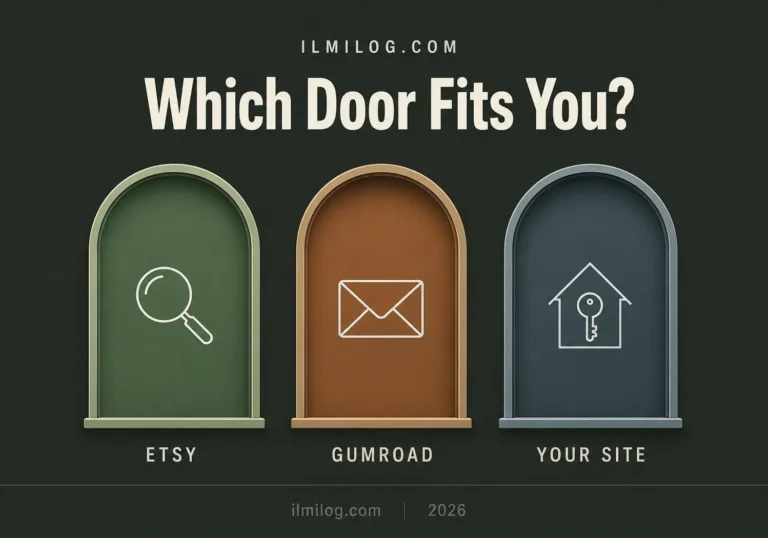
Where to Sell — Platform Comparison
This decision affects how fast you make money and how much you keep.
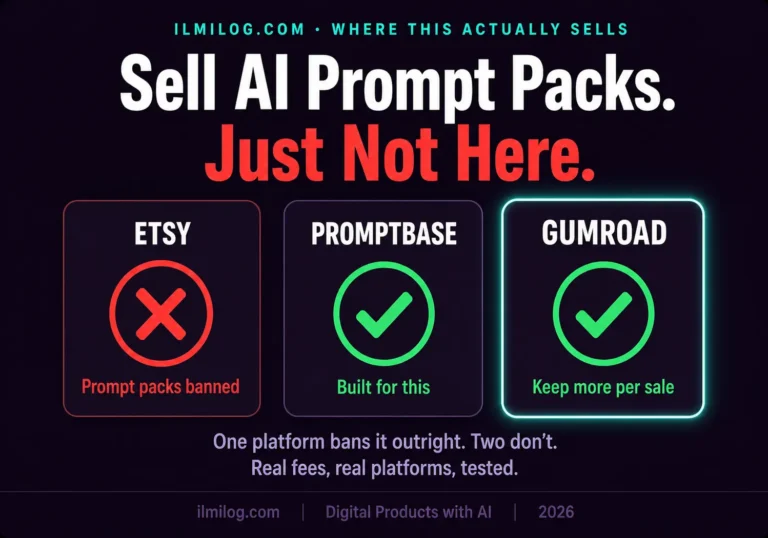
Etsy is the highest-traffic marketplace for digital downloads. Over 90 million active buyers and a specific search intent toward creative products. The downside: 6.5% transaction fee plus listing fees. The upside: buyers are already there, already spending. A new digital product on Etsy can make its first sale within days if the SEO is right.
Best for: printables, Canva templates, ebook covers, art prints, planners.
Gumroad is the simplest platform to sell any digital product. Set up in 20 minutes. Takes 10% of sales (dropping to 0% with a creator fee on higher-tier plans). You keep your customer emails for future marketing. No marketplace traffic — you bring your own audience or pay for ads.
Best for: prompt packs, ebooks, courses, software tools, anything where you’re driving your own traffic.
Your own website keeps 100% of revenue (minus payment processor fees of 2–3%). Requires the most setup and the most traffic-driving effort. Best long-term play; worst starting point for a beginner with no audience.
Best for: established creators building a brand, not beginners testing their first product.
Etsy first, then Gumroad is the practical sequence for most beginners. Etsy proves demand and generates first sales. Gumroad becomes the higher-margin option as you build an audience.
A full breakdown of platform trade-offs is coming in a dedicated cluster article. For now, the one-sentence recommendation: if you have no existing audience, start on Etsy for printables and templates, Gumroad for ebooks and prompt packs.
The Creation Workflow — From Idea to Listed Product
This is the actual step-by-step most guides bury or skip entirely.
Step 1: Validate before you create
Search for your product idea on Etsy. If there are sellers with reviews — especially recent reviews in the last 30 days — demand exists. If the category is empty or only has products with zero reviews, either the product doesn’t sell or you’re early to a trend. Both are risky for a beginner. Start with proven demand.
Step 2: Research what’s missing
Read the reviews on top-selling similar products. One-star and three-star reviews are gold — they tell you exactly what buyers wanted but didn’t get. Build your product around solving those gaps.
Step 3: Create the product with AI
For ebooks: write a detailed chapter outline (you, not AI), then use Claude or ChatGPT to draft each chapter section by section. Edit each section for accuracy, voice, and specific examples before moving to the next.
For templates: describe the exact structure you need to ChatGPT. Have it produce the schema and logic. Build it in Notion or Canva, then test it yourself before selling.
For printables: create the design concept brief (purpose, aesthetic, color palette, fonts) and feed it to Canva AI or use Canva’s template library as a starting point. Customize until it’s genuinely better than what’s already selling.
Step 4: Create mockups and listing images
A product with professional mockup images sells 3x better than one with screenshots. Canva has free mockup templates — laptop screens, phone screens, printed paper. Use them to show your product in context.
Step 5: Write the listing with SEO
For Etsy: your title, description, and 13 tags are your entire SEO strategy. Use the exact phrases buyers search. For a budget planner printable: “Monthly budget planner printable,” “budgeting worksheet PDF,” “finance planner download.” Research these phrases in Etsy’s search bar — autocomplete suggestions are real search terms.
For Gumroad: write a description that reads like a landing page. What problem does this solve? Who is it for? What’s included? What happens after they download it? Add a FAQ.
Step 6: Price strategically
Pricing too low signals low quality on Etsy (buyers see a $1 planner and assume it’s bad). Pricing too high loses sales to cheaper competitors. The pricing sweet spot is 20–30% above the average price of similar products with strong reviews — buyers pay more for perceived quality.
Step 7: Launch and iterate
First 30 days: if you get views but no sales, the product or listing needs work. If you get zero views, the SEO needs work. If you get sales but no repeat customers or reviews, the product underwhelmed expectations.
Each failure signal points to a specific fix. Zero views is an SEO problem. Views with no sales is a listing or product problem. Sales with bad reviews is a product quality or expectation-setting problem.
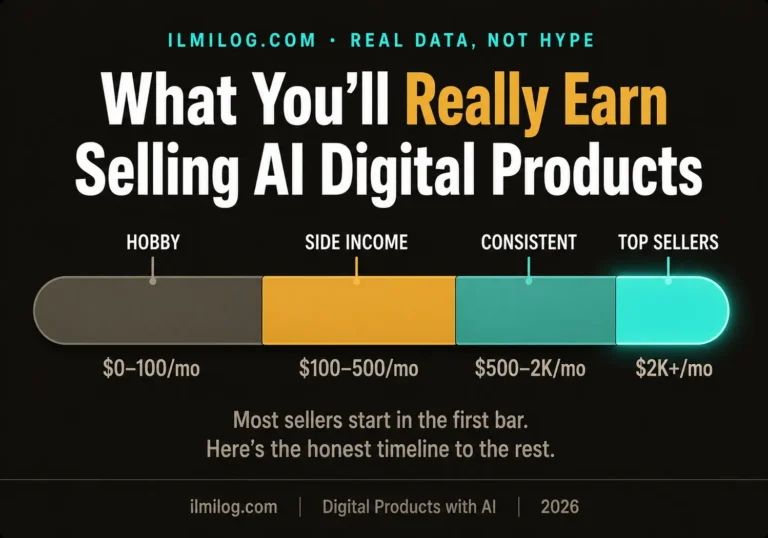
Realistic Income — What Actually Happens Month by Month
Month 1:
First listing up. Learning the platform. Probably $0–$80 in sales. Most of this month is setup and learning what works. Normal and expected.
Month 2–3:
First consistent sales on working products. Typically $100–$400/month if you have 3–5 listings optimized. You’ve learned which product types get your target buyer.
Month 4–6:
Catalog grows to 10–20 products. Passive sales from early listings compound. Typical earnings: $400–$1,500/month for sellers who’ve been consistent.
Month 6+:
First products have enough reviews to rank competitively. New products launch faster because you know the workflow. Income becomes genuinely passive on a per-product basis.
The sellers I’ve tracked who hit $2,000+/month consistently within their first year shared three traits: they chose specific niches with real search demand, they published products consistently (2–3 new products per month), and they used customer feedback to improve existing products rather than only creating new ones.
The sellers who gave up at month two typically had one product, chose a niche with weak demand, and expected Etsy’s algorithm to do the work without enough listing optimization.
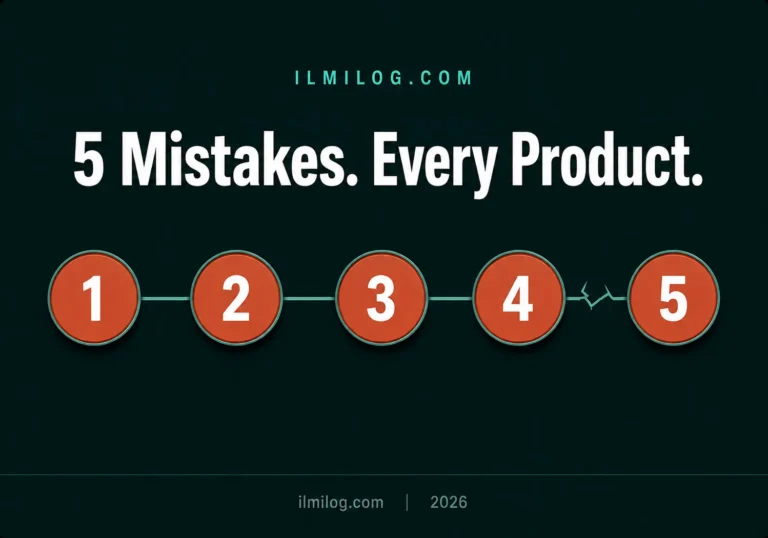
Common Mistakes That Kill Digital Product Businesses Before They Start
Creating a product nobody searched for
A beautiful AI-generated ebook on a topic with 50 monthly searches is a dead product regardless of quality. Always validate demand first.
Using AI output without editing
AI-generated ebooks, templates, and content have identifiable patterns that experienced buyers recognize. The edit pass isn’t optional — it’s what separates products that sell repeatedly from products that get refund requests.
Wrong platform for the product type
Prompt packs on Etsy compete with printable planners and Canva templates — buyers expect low prices in that context. Prompt packs on Gumroad with a marketing email convert at higher prices because the platform sets different expectations.
One product and waiting
Digital product income is a numbers game. One well-optimized product might make $50/month. Ten products in a consistent niche might make $500/month. The math only works with catalog depth.
Ignoring mockup images
Two identical products with different listing images have dramatically different conversion rates on Etsy. Professional-looking mockups (Canva has free ones) communicate product quality before the buyer opens the description.
Copying top sellers directly
Etsy’s algorithm detects duplicate products and penalizes new listings for it. More importantly, buyers recognize copied designs. Create something different — inspired by what sells, not identical to it.
When This Approach Doesn’t Work
If your goal is quick cash within two weeks, digital products are the wrong starting point. The onboarding time — creating, listing, and waiting for Etsy’s algorithm to surface your product — typically takes 30–90 days before meaningful sales.
If you’re building products in an oversaturated niche without a specific angle, the competition from established sellers with hundreds of reviews makes it nearly impossible to get traction as a new listing.
If you skip the validation step and build what you think people want rather than what they’re already searching for, even a technically excellent product sits unsold.
For income needs within the next two to four weeks, micro-jobs platforms provide faster payments. Our weekly-paying micro jobs guide covers platforms where payments arrive within days — worth using to generate income while building a digital product catalog in parallel.
Decision Checklist — Are You Ready to Start?
Work through these before creating your first product:
- I’ve validated demand — there are Etsy listings for similar products with recent reviews
- I’ve chosen a specific niche, not a broad category
- I have a specific problem the product solves — not just a topic it covers
- I’ve read the reviews of competing products and know what buyers want but aren’t getting
- I’m willing to invest 30–90 days before expecting meaningful income
- I have time for 2–3 new products per month after the first one launches
- I’ll edit AI output before publishing, not use it raw
Five or more checks: start building this weekend. Your first product should be live within seven days.
Three or fewer: spend this week on validation and niche research only. Don’t create anything yet.
Problem Diagnosis — Which Type of Seller Are You?
You have writing skills but no design ability: Focus on ebooks and prompt packs. Canva handles the cover design; AI handles the content scaffolding; your editing skills produce the final quality.
You’re comfortable with Canva and visual design: Printables and Canva templates are your fastest path. The AI assists with concept and copy; you execute in Canva.
You use Notion regularly: Notion templates are your strongest entry point. You already understand the tool; AI helps you build faster and more systematically.
You have a professional background in any field: Create guides and templates specific to your expertise — HR professionals creating HR templates, teachers creating lesson plan templates, accountants creating financial planning tools. Domain expertise combined with AI production speed is a significant competitive advantage in professional niches.
You have no strong skill in any category: Start with printable planners and worksheets. Lowest barrier to entry, active Etsy market, AI generates the content, Canva executes the design. The first product teaches you the full workflow; subsequent products improve from there.
Not sure which direction to start? The Digital Life Blueprint Generator takes seven questions and maps out a personalized income path based on your actual skills and time availability. It often surfaces digital product types that match your background better than the most obvious choice.
The Income Proof Section — Real Numbers From Real Sellers
Rather than invent numbers, here’s what the Gumroad and Etsy creator communities consistently report:
New sellers with 1–3 products in month one: typically $0–$150. Not because the products are bad — because new listings take time to rank.
Sellers at month three with 5–10 products in a consistent niche: $200–$700/month. This is where compounding starts — early products have reviews, later products benefit from established seller credibility.
Sellers at month six with 15–25 products and optimized listings: $600–$2,500/month. This range is where digital products become a meaningful secondary income for most creators.
The r/EtsySellers community on Reddit has thousands of real income reports from digital product sellers. Filtering for posts about AI-created products specifically shows the same pattern: slow first month, compounding growth, passive income reality from month four onward.
For a deeper understanding of which AI tools work best for the creative side of digital product production, the Canva for beginners guide covers Canva’s free features specifically — including AI tools like Magic Write and background remover that directly support digital product creation.
FAQ — Questions Every Beginner Asks Before Starting
Q: Do I need design experience to create digital products with AI?
No. The most beginner-accessible product types — ebooks, prompt packs, and simple printables — require almost no design skill. For visuals, Canva’s free templates plus AI-generated concepts handle the design layer. What you actually need is judgment: can you evaluate whether the output is good enough to charge money for? That skill develops after your first two or three products. You don’t need it before you start.
Q: How long does it take to create a first product?
An ebook from outline to formatted PDF: one focused weekend. A set of 10 Canva templates: 3–5 hours once you have a design concept. A prompt pack of 30 tested prompts: 2–4 hours of testing and documenting. A Notion template: 2–6 hours depending on complexity. These timelines assume you’re editing AI output rather than writing everything manually. They also assume the first product won’t be perfect — which is fine. Your second product will be faster and better.
Q: Is it legal to sell AI-generated digital products?
Yes. AI-assisted content creation is legal. What matters is that you own the final product you’re selling. Content created with ChatGPT, Claude, or Gemini and then edited by you is legally yours to sell. The only exceptions: you can’t sell content that infringes on existing copyrights (don’t ask AI to reproduce chapters from published books), and some platforms have specific AI disclosure requirements. Etsy requires sellers to disclose if a product was created with AI tools — check their current policy at Etsy’s AI-generated content guidelines before listing.
Q: Which platform is best for a complete beginner?
Etsy for printables and Canva templates — its existing buyer traffic means you don’t need to bring your own audience. Gumroad for ebooks and prompt packs — simpler setup and better suited for information products. If you’re choosing one and can only choose one: Etsy, because the built-in search traffic gives beginners their best chance at a first sale without any marketing effort.
Q: How do I price a digital product I’ve never sold before?
Search Etsy for similar products. Find the 10 listings with the most recent reviews. Calculate the average price. Set your price 10–20% above that average. This positions you as slightly premium while still being competitive. Don’t start at the lowest price in the category — it signals low quality to buyers and trains them to expect discounts. Don’t start at the highest price either — no reviews means no social proof to justify a premium. Slightly-above-average with a great listing image is the sweet spot.
Q: What happens if nobody buys my first product?
Diagnose which part failed. Zero views after two weeks means your Etsy SEO isn’t working — your title, tags, and keywords need revision. Views but zero sales means your listing images or description aren’t converting — test different mockup images first, then rewrite the description. Sales but refund requests mean the product didn’t match buyer expectations — improve the product or clarify the listing. Every failure has a specific cause and a specific fix. Quit the product, not the approach.
Q: Can I sell the same product on multiple platforms?
Yes. Selling the same ebook on both Gumroad and Etsy is completely fine — they serve different audiences. Etsy buyers browse and discover; Gumroad buyers arrive via direct links and your own marketing. Listing everywhere gives you more discovery opportunities. Just make sure your mockup images and descriptions are optimized for each platform’s buyer expectations separately.
Q: How much do I need to invest to get started?
Zero mandatory investment. Canva free plan, ChatGPT free plan, Gumroad free plan, Etsy listing fee of $0.20 per product. Your first digital product can go from zero to listed for less than $1. Optional upgrades that help but aren’t necessary: Canva Pro ($15/month) for more templates, ElevenLabs for voiceover if creating audio products, and a custom domain if building your own website eventually. Start for free, invest only when income from the platform justifies it.
Building your first digital product right now? Drop what type you’re creating in the comments — useful to see which product types readers are actually testing in 2026.
Researched and written by the ilmilog.com editorial team. Income figures and platform behavior verified against creator community reports from Gumroad, Etsy sellers, and r/digitalnomad through June–July 2026. All AI tool capabilities verified through direct testing. Platform fee structures confirmed against official Etsy and Gumroad fee documentation as of July 2026 at Etsy’s fee schedule and Gumroad’s pricing page.