Midjourney Prompts for Print on Demand: Sell-Ready Guide
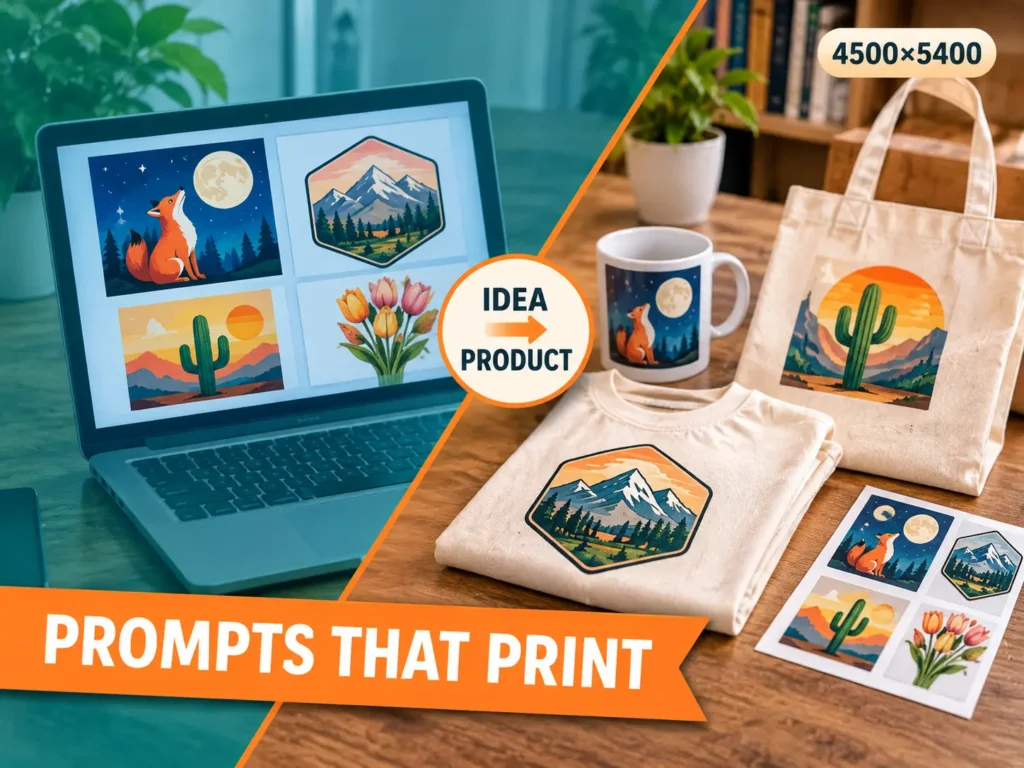
Most people who try AI art for products make the same first batch. Forty pretty pictures, a folder full of them, and not one that a printer can actually use. The colors bleed into a busy background. The text is spelled wrong. The file is far too small for a shirt.
The fix is rarely a better image. It is a better request. When you ask Midjourney for a print-ready graphic instead of a nice picture, the results change a lot.
This guide walks through the whole path for Pakistani sellers who use Printify or a similar partner with an Etsy shop. You will see how to describe a design, which file sizes to aim for, eight prompts you can paste today, and the rules that keep your listings safe.
Quick answer: Ask for one isolated graphic on a plain background. Name the art style, add a shape that matches the product, and keep words out of the image. Then upscale it, remove the background and add any text yourself in Canva. That gives you a file a print partner will accept.
Before you spend a rupee on any of this, make sure your Etsy account is open and verified, because designs without a shop to sell them in are just files on a laptop.
Why most AI art fails at the printer
A print partner does not care how nice an image looks on your screen. It cares about three things: size, edges and color.
Size
A T-shirt graphic usually needs to be around 4500 by 5400 pixels at 300 DPI. A poster at 18 by 24 inches needs 5400 by 7200. A raw Midjourney image is much smaller than both, so every design needs upscaling before it goes anywhere near a product.
Edges
Printers want a clean shape on a transparent background. Midjourney cannot make transparency, so you ask for a flat plain background and remove it later. If the background has shadows, gradients or texture, that removal turns into an hour of repair work.
Color
Screens glow and fabric does not. Neon shades and soft gradients often print duller than they look on a phone. Flat colors with strong contrast survive printing best.
Worth knowing: Every product has its own template. Download the one for your exact product from your print partner before you finalize a file. The sizes in this guide are common targets, not promises.
The five-part request that works
Good prompts are less poetic than people expect. They read like a short brief to a human illustrator. Five parts cover almost everything:
- Subject. What is in the design. One main thing, not a crowd.
- Style. Flat vector, linocut, watercolor, retro badge, line art.
- Layout. Centered, isolated, with empty space around it.
- Background. Plain white or one solid color, no scenery.
- Limits. The shape of the image and the things to leave out.
Here is a simple example built from those parts:
a fox curled around a crescent moon, flat vector illustration, centered single graphic with margin around it, plain white background, limited palette of navy and orange --ar 5:6 --no text, shadows, gradientsCopyThe subject is one fox. The style is flat vector, which prints cleanly. The layout and background are stated in plain words. The last line sets the shape and blocks the things that cause trouble later.
Parameters worth learning first
Parameters are the short codes at the end of a prompt. You only need a handful. The Midjourney docs list every one of them, and they change over time, so check there if a code stops working.
- –ar sets the shape. Use 5:6 for shirts, 2:3 for posters, 1:1 for stickers and square prints, and a wide ratio such as 21:9 for a mug wrap.
- –no blocks unwanted items. It works best with short lists like text, shadows or border.
- –stylize controls how artistic Midjourney gets. Lower values follow your words more closely. Higher values add its own taste.
- –style raw reduces the built-in polish when you want a plainer, more literal result.
- –tile makes a seamless repeating pattern, useful for fabric, wrapping paper and phone cases.
- –chaos widens the variety between the four results, handy when you need fresh ideas from one prompt.
Midjourney keeps releasing new versions, and each one reads prompts a little differently. Pick a version, run the same prompt twice, and keep notes on what changes. That habit teaches more than any list of tricks.
Eight prompts to start with
Each prompt below is a starting point. Change the subject and colors, keep the structure. Run it, pick the best of the four results, then vary it until you have a small family of matching designs.
1. Shirt chest graphic
Shirts reward simple, bold shapes. A badge or emblem works better than a detailed scene.
a vintage mountain sunrise badge, bold linocut style, centered single graphic, thick outlines, flat colors in rust, cream and forest green, plain white background --ar 5:6 --no text, shadows, gradientsCopy2. Mug wrap
A wrap runs around the cup, so ask for a wide band with even spacing. Check the exact ratio on your partner’s mug template.
a repeating row of wildflowers along a horizontal band, watercolor style, soft pastel palette, evenly spaced, plain white background, wide panoramic composition --ar 21:9 --no text, frameCopy3. Wall poster
Leave quiet space in the picture. Buyers like posters that feel calm, and empty areas make room for a caption if you add one later.
a quiet mountain lake at dawn, minimalist poster art, layered shapes, muted teal and sand palette, vertical composition with empty sky at the top --ar 2:3 --no text, watermark, borderCopy4. Tote bag
Single-color line art prints cheaply and looks sharp on canvas.
a bold line-art cat sitting on a stack of books, one continuous black line, centered, lots of empty space, plain white background --ar 1:1 --no color fill, shadows, textCopy5. Sticker
Stickers need a strong outline so the cutter has a clear edge to follow.
a cute cartoon cactus wearing sunglasses, die-cut sticker style, thick white outline, flat colors, plain background --ar 1:1 --no text, shadowsCopy6. Seamless pattern
Patterns sell on fabric items, phone cases and wrapping paper. Test the tile by placing four copies side by side to spot visible seams.
small botanical leaves and berries, seamless repeating pattern, flat illustration, soft green and mustard on cream --tile --ar 1:1Copy7. Notebook cover
Leave the center open. Buyers often want to add a name or a title, and an open middle gives you room.
abstract geometric shapes in layered arches, boho style, warm terracotta, sand and sage, balanced composition with an empty center --ar 3:4 --no textCopy8. Greeting card
Wide margins keep the art safe from the trim line.
a hand-painted bouquet of tulips in a simple vase, gouache look, bright but soft colors, centered with wide margins, plain off-white background --ar 4:5 --no text, borderCopyFrom Midjourney image to print file
The picture you like is only the first third of the job. This is the routine that turns it into something a printer can use:
- Zoom to 100%. Look at hands, edges and tiny details. Small glitches that hide at thumbnail size become obvious on a printed shirt.
- Upscale. Use Midjourney’s own upscaler or a separate tool until the file reaches the size on your product template.
- Remove the background. Many free tools do this in one click. Save the result as a PNG so the transparency stays.
- Add words yourself. AI image tools still misspell and bend letters. Type slogans in Canva with a real font and place them next to the art.
- Export at full size. Keep a copy of the original so you can redo the work if the template changes.
- Make mockups. Use your print partner’s mockup tool to put the design on a product, so you can check scale and placement.
Reality check: Do not skip the review step to save time. One bad print costs more than the hour you saved, and a refund request hurts a new shop’s reputation.
What it really costs
Your costs are the Midjourney subscription, a background-remover or Canva plan if you want one, and the product’s base price from the print partner. The base price comes out of every sale before you earn anything.
Work backward when you price a product: base cost, plus shipping, plus selling charges, plus the profit you want. Selling charges on Etsy come in several parts, and the full list is in our guide to Etsy fees, so read it before you fix any price.
Paying for Midjourney from Pakistan usually means an international card. Many sellers use a Payoneer card or a virtual dollar card. Check the card works with online subscriptions before you plan your month around it.
Pick one lane before you make fifty images
Random designs rarely sell. A shop with one clear theme looks trusted, and the images you make teach you what buyers like. Some lanes that work well for beginners are nursery animals, hiking badges, teacher gifts and bookish humor.
Faith-based art is another strong lane, especially around Ramadan and Eid. It needs extra care with sacred text, so it deserves its own plan.
Once you pick a lane, build sets. Three matching designs in the same palette sell better than three unrelated ones, because a buyer who likes one will click the others.
Rules that protect your shop
Etsy expects you to be honest about how an item was made. Items made with AI help are described under the label for items you designed, and the listing should say AI was used. The Etsy standards page explains the current wording, and it is worth reading again every few months because the rules have been tightened more than once.
Etsy has also been strict about listing photos. Mockups alone may not be enough for every product, so check what the current image rules ask for before you upload.
Three more habits keep you out of trouble:
- No brand or character names. Never ask for a famous logo, cartoon character or sports team. Those designs get listings removed and can lead to legal claims.
- No living artists’ names. Copying someone’s style by name is unfair to them and risky for you.
- Read the commercial terms. Midjourney’s rules about selling what you make depend on your plan, and larger businesses may need a higher plan. Read the current terms in the docs.
Skip this: Do not upload dozens of untouched images a day. Mass uploads of near-identical art look like spam, and a flagged shop is hard to recover.
Quick fixes when the result is wrong
Every beginner hits the same handful of problems. Change one thing at a time and run the prompt again, so you know which fix worked.
- The background is not plain. Move the background words to the front of the prompt and say “isolated, no scenery”. Add the things you do not want to the exclusion list.
- The design is too busy. Cut the subject down to one object. Add “minimalist, simple shapes, few colors” and lower the stylize value.
- The colors look muddy. Name three or four exact colors in the prompt, and say “flat colors”. Vague words like “colorful” invite mud.
- Two subjects melt together. Describe a single subject with one simple pose. If it still merges, run it again, because a fresh result is cheaper than a long fix.
- It looks generic. Add a technique word such as linocut, screen print, risograph or gouache. Add an era too, for example “1970s travel poster”. Specific looks feel less like stock art.
- The cut-out has a white halo. The art and the background are too close in tone. Ask for stronger contrast, or generate on a solid color that the art does not use, then remove it.
Worth knowing: You can show Midjourney an example image and ask it to follow that look with its style reference option. The docs explain the current syntax. It is one of the easiest ways to keep a whole set consistent.
Build a matching set from one template
Buyers like shops that feel planned. The easiest way to get that look is to lock the style words and palette, and change only the subject. Here is a template you can reuse:
a brass lantern, risograph print style, two-color palette of coral and deep teal, flat shapes, centered single graphic, plain white background --ar 5:6 --no text, shadows, gradientsCopySwap “a brass lantern” for a teapot, a bicycle, a pair of reading glasses or a potted plant. Everything else stays the same. After six runs you have six designs that belong together, and that is the start of a product line instead of a pile of pictures. If your lane is faith-based art, read our guide to Islamic designs first, because sacred text should never be printed carelessly.
Name your files clearly as you go. Something like “lantern-coral-teal-v2” saves a lot of confusion when you return to a design three weeks later and cannot remember which version you uploaded.
Test before you trust a design
A screen can fool you. Order one sample of your best product before you list it, and look at it in daylight. Check whether the colors match your file, whether thin lines survived, and whether the placement sits where you expected.
Take your own photos of the sample too. Real photos help your listing feel honest, and they match what Etsy has been asking for in its image rules. Keep notes on every flaw you find, because those notes become your checklist for the next batch. The steps for ordering samples and using mockups are covered in Printify help.
Mistakes that waste the most time
- Asking for a full scene when you need an isolated graphic.
- Putting words inside the prompt and hoping the spelling comes out right.
- Skipping the product template and discovering the size problem after ordering a sample.
- Changing five things at once, so you never learn which change helped.
- Uploading before ordering one sample to see the real print.
A seven-day plan for your first batch
- Day 1. Choose one lane and one product. Download the product template.
- Day 2. Write three prompts using the five parts and run each one a few times.
- Day 3. Pick the best three images and zoom in to check the details.
- Day 4. Upscale, remove backgrounds and add text in Canva.
- Day 5. Build mockups and write the listing text, including the AI note.
- Day 6. Order one sample so you can judge the real print and fabric.
- Day 7. Publish the best set and write down what you will change next time.
Questions Beginners Ask
Can I sell what Midjourney makes?
Paid members can generally use their images commercially, but the terms depend on your plan and your business size. Read the current terms in the Midjourney docs before you sell.
Do I need to disclose AI on Etsy?
Yes. Etsy asks sellers to describe how an item was made, including AI help, and to use the correct label in the listing. Follow the current wording on its standards page.
Why does my text look broken?
Image models still struggle with letters. Leave text out of the prompt and add it in Canva with a real font.
What size should the final file be?
Use the template from your print partner. Common targets are 4500 by 5400 pixels for shirts and 300 DPI at the finished size for posters.
Can I use one design on many products?
Yes, but resize and reposition it for each product. A graphic that fits a shirt will not automatically fit a mug wrap.
How many designs should I start with?
Start small. Three to five matching designs in one lane teach you more than fifty random ones, and they are easier to check carefully.
Where to go from here
Good prompts get you a good image. A good routine gets you a good product. Spend your first week on the routine, order a sample, and treat every result as information for the next batch. Results differ between Midjourney versions, so keep your best prompts in a note and update them as the tool changes.
When your first sale comes in, you will want to know how the money reaches you. Our guide to Etsy payments covers that, so read it before your first payout date arrives.