Upwork to Pakistani Bank: The $0.99 Option Most Guides Skip
Quick Answer: Yes, and there are three real ways to do it — Upwork’s own Direct to Local Bank option for a flat $0.99 per withdrawal, a Payoneer account as the middle step, or a SWIFT wire transfer for larger amounts. Most guides jump straight to Payoneer and skip the cheapest option entirely. What actually eats up most of the waiting time isn’t the bank transfer at all — it’s Upwork’s own hold periods before your balance is even withdrawable, which most freelancers never hear about until they’re staring at a “pending” status wondering what went wrong.
If you’re planning to use the Payoneer route specifically, our Payoneer account guide covers the setup this method depends on.
What you’ll learn: → The flat-fee option most competing guides don’t mention at all → Why your money feels stuck before you’ve even withdrawn anything → A real cost comparison across all three withdrawal methods → The exact requirement that gets Pakistani freelancers rejected without warning → A self-check to confirm your withdrawal method is set up correctly before you rely on it
Three Real Ways to Get Paid
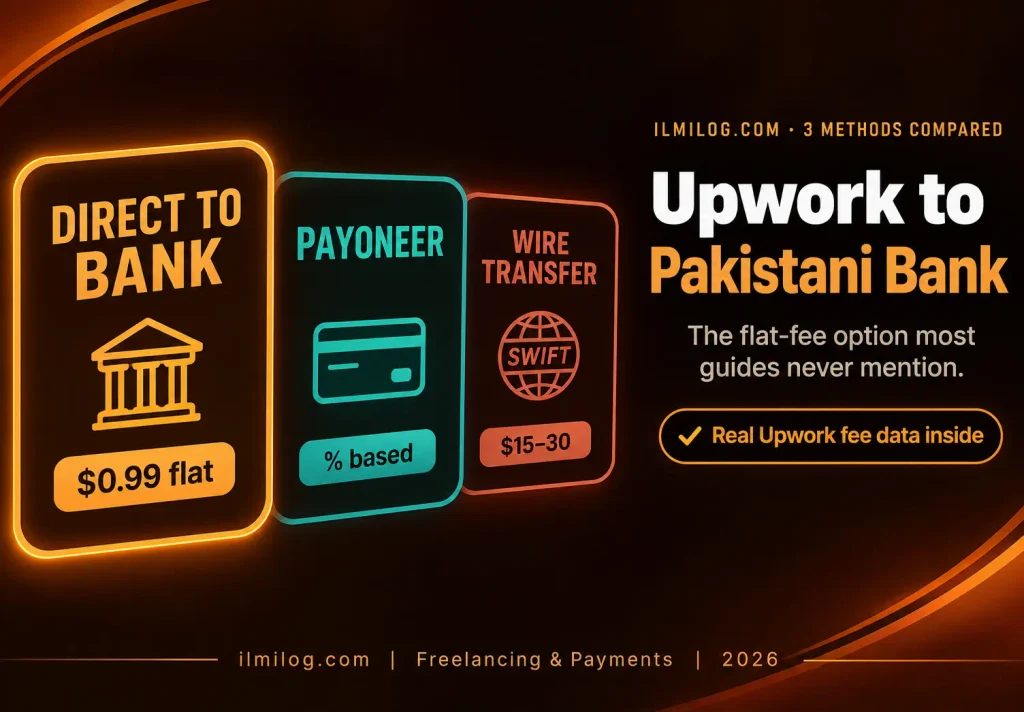
Direct to Local Bank sends your earnings straight from Upwork to your Pakistani bank account, converted to rupees automatically, for a flat $0.99 per withdrawal regardless of amount. Upwork’s own documentation confirms this is often the fastest and cheapest option available, which makes it strange that so few guides on this topic lead with it.
Payoneer works as a middle step — Upwork pays into your Payoneer account, and you withdraw from there to your bank separately. This adds a second withdrawal step and a second fee on top of it, but it’s a solid choice if you’re already using Payoneer for other clients or platforms anyway.
Wire transfer goes bank to bank through the SWIFT network. It tends to make sense only for larger, less frequent withdrawals, since the fixed cost per transfer doesn’t scale down well for smaller amounts.
The Delay Nobody Explains Properly
This is the part that causes the most confusion, and it has nothing to do with which withdrawal method you pick. Before your earnings are even available to withdraw, they go through Upwork’s own hold periods: fixed-price milestones release five days after a client approves the work, and hourly earnings follow a weekly billing cycle. After that, Upwork holds the funds for another five days as a standard fraud-protection measure before they’re truly withdrawable.
Only after that full window closes does the withdrawal method’s own timing start. So if a withdrawal feels like it’s taking forever, the honest answer is usually that most of that time was Upwork’s own hold period, not your bank or Payoneer being slow. Knowing this in advance saves a lot of unnecessary troubleshooting.
Setting Up Direct to Local Bank, Step by Step
From Account Settings, go to Withdrawals, then select Set Up next to Direct to Local Bank. Enter your Pakistani bank details carefully — the bank name, account number, and any required bank codes — and double-check every character before submitting, since a typo here is one of the more common causes of a failed transfer. For security, a newly added withdrawal method takes three days to become active, so this isn’t something to set up the day you’re expecting to withdraw for the first time.
Upwork’s fee and timing page notes a 12:00 PM UTC cutoff for same-day processing — a withdrawal submitted after that cutoff moves to the next business day instead. Once active, expect funds within about four business days; if nothing’s arrived after that, Upwork can attempt to trace the payment starting around the eight business day mark. A trace request isn’t something to jump to immediately after day four, since a short additional delay from your specific bank’s own processing is common and usually resolves on its own before that eight-day window matters.
What Each Method Actually Costs
Direct to Local Bank costs a flat $0.99 regardless of withdrawal size, which makes it the cheapest option by a wide margin for smaller and medium-sized withdrawals. Upwork’s Payoneer withdrawal guide confirms Payoneer is available for freelancers outside the U.S. and India, but Payoneer’s own fee structure runs on a percentage basis rather than a flat rate, which means the cost scales up as your withdrawal grows — our Payoneer withdrawal guide breaks down exactly what that percentage looks like in practice if you’re weighing the two options against each other.
Wire transfers typically carry the highest fixed cost per transfer of the three, which is why they only make practical sense for larger amounts where that fixed cost becomes a smaller percentage of what you’re actually withdrawing.
The honest comparison: for a routine $200 withdrawal, the flat-fee option keeps noticeably more of that money in your pocket than a percentage-based fee would. For an occasional $3,000 withdrawal, the gap narrows enough that other factors — like already having a Payoneer setup for other income sources — matter more than the fee difference alone.
Batching also matters more with a flat fee than a percentage one. Since Direct to Local Bank charges the same $0.99 whether you’re withdrawing $50 or $500, waiting to accumulate a larger balance before withdrawing costs you nothing extra in fees — you’re simply paying that flat fee less often for the same total amount moved. With a percentage-based method, that same batching habit still helps by reducing how many separate currency conversions you’re exposed to, but the fee savings aren’t as dramatic since the percentage applies regardless of how you split up the withdrawals.
The Requirement That Catches People Off Guard
Upwork’s own policy states company-registered bank accounts aren’t accepted for PKR withdrawals — only personal accounts. If your bank account is registered under a business name rather than your own, adding it as a Direct to Local Bank method can result in failed or rejected withdrawals, and this isn’t always obvious until after you’ve already tried.
The same name-matching rule that applies across most payment platforms applies here too: the name on your bank account has to match your verified name on Upwork exactly. A mismatch is one of the most common, and most avoidable, reasons a withdrawal method gets flagged before it’s even used.
Common Mistakes That Cause Rejections
Registering a company account instead of a personal one. Covered above, but worth repeating since it’s a specific, well-documented rejection reason for Pakistani accounts.
Submitting a withdrawal request right after adding a new method. The three-day activation window applies regardless of urgency, so setting this up in advance avoids an unnecessary wait later.
Missing the daily processing cutoff. A withdrawal submitted just after the UTC cutoff moves to the next business day, which can feel like an unexplained delay if you’re not aware the cutoff exists.
Assuming a slow withdrawal means the bank transfer failed. As covered above, Upwork’s own hold periods are usually the real explanation, not the transfer itself.
Problem Diagnosis: Withdrawal Stuck?
First, check how long it’s actually been since the client approved the work or the billing cycle closed — not since you clicked withdraw. If you’re inside the combined milestone-release and hold-period window, this is expected, not a problem. If you’re past that window and the withdrawal method’s own typical timing, check whether your withdrawal method is fully active yet, since a method added within the last three days won’t process. If it’s a company-registered account, that’s a likely rejection cause worth addressing directly rather than resubmitting the same request.
When a Different Method Makes More Sense
Skip Direct to Local Bank if: you’re withdrawing very large amounts infrequently, where a wire transfer’s fixed cost becomes proportionally smaller, or if you already rely on Payoneer for multiple income sources and prefer consolidating everything in one place.
This is worth setting up now if: you withdraw regularly in small or medium amounts, and you want to stop losing a percentage of every withdrawal to a fee structure that scales with your earnings instead of staying flat.
Decision Checklist
- My bank account is registered under my personal name, not a business → required for PKR withdrawals specifically
- My name matches my verified Upwork name exactly → prevents the most common rejection
- I’ve set up my withdrawal method at least three days before I plan to use it → accounts for the standard activation window
- I understand Upwork’s own hold periods happen before the withdrawal method’s timing even starts → sets realistic expectations
- I’ve compared the flat $0.99 fee against Payoneer’s percentage-based cost for my typical withdrawal size → confirms which method actually saves more
Honest Verdict
| What Works | What Doesn’t |
| Direct to Local Bank for regular, smaller withdrawals | Assuming Payoneer is automatically the only option |
| Setting up a new withdrawal method days in advance | Adding a method the same day you need to withdraw |
| Using a personal bank account for PKR withdrawals | Registering a business account for this specific method |
| Understanding Upwork’s hold periods as normal | Assuming a pending balance means something’s broken |
Best for: freelancers who withdraw regularly and want to keep more of each payment instead of losing a percentage to fees every time.
Skip overthinking it if: you’re withdrawing small, frequent amounts — the flat-fee option is the straightforward answer for most Pakistani freelancers in that situation.
FAQ
Q: How much does it cost to withdraw from Upwork to a Pakistani bank?
Direct to Local Bank costs a flat $0.99 per withdrawal. Payoneer runs on a percentage-based fee instead, and wire transfers carry a higher fixed cost that only makes sense for larger amounts.
Q: Why is my withdrawal taking so long?
Most of that time is usually Upwork’s own hold period — five days after milestone approval or a weekly billing cycle, plus another five days as a standard security measure — not the withdrawal method itself.
Q: Can I use a business bank account?
No, not for PKR withdrawals through Direct to Local Bank. Only personal accounts are accepted, and a company-registered account can lead to failed withdrawals.
Q: How soon can I withdraw after setting up a new method?
New withdrawal methods take three days to activate for security reasons, so it’s worth setting one up well before you actually need to use it.
Q: Is Payoneer or Direct to Local Bank better for Pakistani freelancers?
For smaller, regular withdrawals, the flat fee usually wins. For freelancers already using Payoneer across multiple platforms or clients, consolidating through Payoneer can be worth the extra percentage for the convenience.
Final Recommendation
Set up Direct to Local Bank a few days before you actually need it, use a personal bank account, and double-check your name matches exactly across both platforms. If none of these three end up fitting your situation, our PayPal alternatives guide covers the wider payment landscape available to Pakistani freelancers.
Researched and written by the ilmilog.com editorial team. Withdrawal methods, fees, and timing confirmed directly against Upwork’s own official help documentation as of July 2026. This article is general information, not financial advice, and Upwork’s specific fees and requirements can change — always confirm current details directly on Upwork’s official site.