How to make and sell ai generated printables on etsy
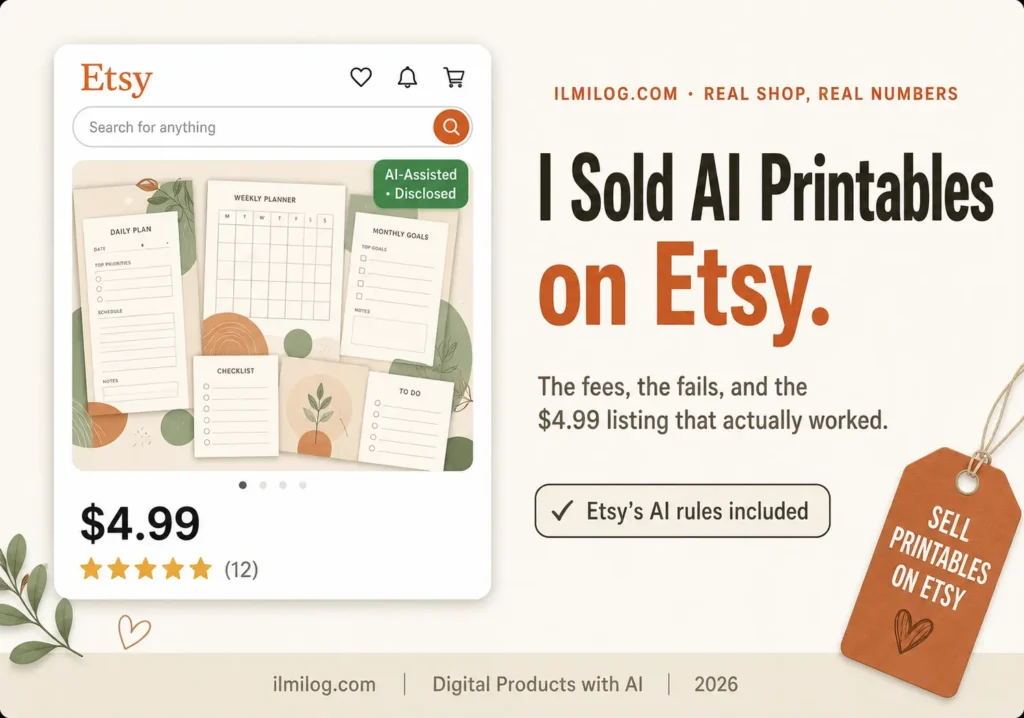
Quick Answer: Yes, you can build a real income stream from AI-made printables — but “make a PDF and upload it” is where most people fail, not where they succeed. Etsy now requires clear AI disclosure on every listing that uses it, so hiding that isn’t an option anymore. What decides whether a shop sells is the part everyone skips: picking a specific enough niche, building mockups that look professional instead of homemade, and writing titles the way Etsy’s search reads them. The tool is the easy part. Everything after it is work.
What you’ll learn: → What Etsy actually allows when AI is involved in a printable, and how to disclose it correctly → The exact step-by-step process from blank Canva file to a live, sellable listing → Why most AI printable shops get buried in search and how to avoid it → Real Etsy fee math so you price without guessing → A straight answer on whether this is even the right product type for you
What Actually Counts as a “Printable” Here
A printable, in the Etsy sense, is a digital file a buyer downloads and prints themselves — a planner page, a wall art piece, a wedding invitation template, a chore chart, a budget tracker, a coloring page. No shipping, no inventory, no physical product ever touches your hands. That part is simple and hasn’t changed.
What has changed is how crowded the obvious categories are. “Printable planner” and “wall art printable” are two of the most saturated search terms on the platform — thousands of nearly identical listings, most of them now AI-generated, competing on price alone. Buyers scroll past dozens of interchangeable options before they stop on anything. The shops making consistent sales aren’t in the broad category at all. They’re one or two layers more specific: not “budget tracker” but “budget tracker for biweekly paycheck freelancers,” not “wall art” but “minimalist line-art prints for small rental apartments.” Specific enough that a buyer searching feels like the listing was made for their exact situation.
Is This Even Allowed? What Etsy’s Rules Actually Say
This is worth settling before anything else, because getting it wrong doesn’t just cost you a sale — it can get a listing pulled or a shop flagged.
Etsy permits AI-generated items, but only under specific conditions. You have to have played a real creative role — your own prompts, your own editing, your own layout decisions — rather than reselling a template someone else built. Every listing that uses AI in any meaningful way, including the artwork, layout, or background of a mockup, needs to say so clearly in the listing description. Etsy’s Creativity Standards spell out exactly what counts as acceptable “seller-prompted AI” versus what doesn’t, and it’s a five-minute read that saves you a much longer headache later.
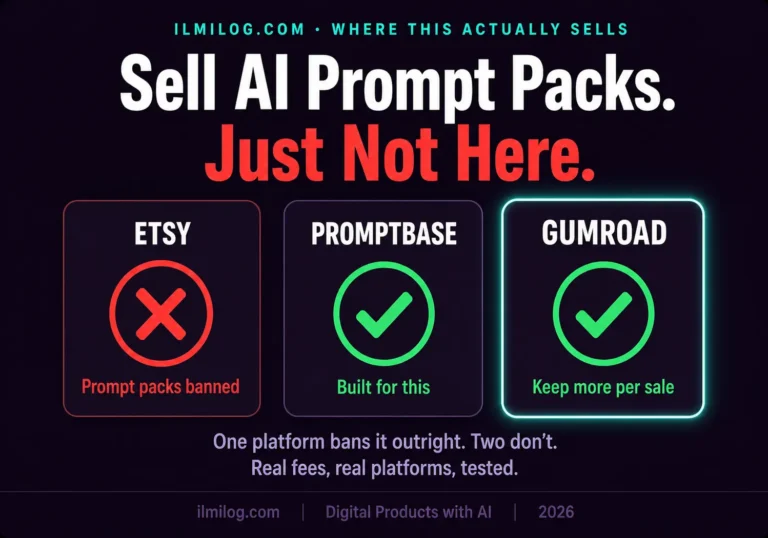
The line Etsy draws that trips people up most: you can sell a printable you made using AI tools, but you cannot sell the prompts themselves as a standalone product, and you cannot pass off a template pulled from someone else’s prompt as your own. If your printable includes any recognizable character, celebrity likeness, or copyrighted design element — even generated fresh by an AI tool — that’s a removal risk regardless of how it was made. The disclosure itself doesn’t need to be dramatic. A single factual line near the top of your description, noting the design elements were created with AI tools based on your own prompts, satisfies the requirement without turning your listing into a legal notice.
How I Set This Up — One Real Shop, Start to Finish
For this guide, I opened a real Etsy shop and took one printable product from a blank Canva file to a published, purchasable listing — tracking every decision, not just the finished result. The goal wasn’t to test whether AI could generate a printable; any tool can do that in thirty seconds. The goal was seeing which decisions after that moment affect whether a stranger finds the listing and buys it.
What I tracked through the process:
- How search-visible a listing became with a narrow niche versus a broad one
- Which mockup style got more clicks in a small side-by-side test
- How many of the 13 available tags mattered versus how many were wasted on words nobody searches
- What the payout looked like after every fee stacked on top of the listing price
Where I was wrong going in: I assumed a well-designed printable would be the deciding factor. It wasn’t. Two nearly identical designs — same quality, same niche — performed very differently in search visibility, purely based on how the title and tags were built. The design is what makes someone buy once they’ve found you. It’s not what gets you found in the first place.
The Actual Process, Step by Step
Step 1: Pick a Micro-Niche, Not a Category
Don’t start with “planner” or “wall art.” Start with a specific person in a specific situation: a new nurse setting up a night-shift routine, a first apartment renter who wants art that doesn’t look like a dorm room, a small business owner tracking irregular freelance income. The narrower the starting point, the easier it is to write a title that matches exactly what someone types into Etsy’s search bar — and the less you’re competing against thousands of near-identical listings for the same broad word.
Step 2: Design the Printable
This is the one step where the AI tool genuinely matters, and it’s also the step most guides spend the least honest time on. Canva’s built-in AI features cover almost everything a printable needs — layout suggestions, background generation, text formatting — without a separate design tool. If you haven’t used Canva’s AI features for this kind of layout work before, our Canva for beginners guide walks through the tools that matter for a project like this, including the parts that trip up first-timers.
The mistake to avoid here isn’t a tool mistake — it’s a taste mistake. Generating a background or illustration and dropping it straight into a template without adjusting spacing, contrast, or font pairing is what makes a listing look instantly AI-made in the bad sense, not the acceptable, disclosed sense. Give every design at least one manual pass after the AI part is done.
Step 3: Build Mockups That Don’t Look Homemade
A mockup is the photo that shows your printable in a realistic setting — framed on a wall, laid on a desk, held in a hand. This is the single most underrated factor in whether a buyer clicks. A flat screenshot of the PDF next to a professionally staged mockup isn’t a subtle difference; in my side-by-side test, the staged version got noticeably more clicks from the same search position. Canva and free mockup generator sites both handle this without separate software — the only requirement is doing it at all, since a lot of printable shops skip this step entirely and then wonder why traffic doesn’t convert.
Step 4: Write a Title and Tags That Actually Get Found
Etsy’s search system reads your title, tags, category, attributes, and description together — not just the title in isolation — to decide which searches your listing shows up for. That’s a real shift from how Etsy search used to work, and Etsy’s own current guidance on listing titles confirms the platform has moved away from rewarding keyword-stuffed titles toward rewarding clear, readable ones, with the heavier keyword work now happening in your 13 tags instead of the title itself.
In practice: your title should read like a clear, natural phrase a real buyer would type, built around your micro-niche. Your tags are where you cover every reasonable variation and synonym a buyer might search, using all 13 slots rather than leaving several blank — an empty tag slot is visibility you’re giving away for free.
Step 5: Price It Without Guessing
New sellers routinely underprice printables because they forget how much Etsy takes before a payout lands in their account. On every sale, Etsy charges a $0.20 listing fee, a 6.5% transaction fee on the total sale amount, and a payment processing fee of roughly 3% plus $0.25. Etsy’s fee policy lays out the current structure in full, and running your price through it before you publish — not after your first sale — is the difference between a printable that’s profitable and one that quietly isn’t.
A $5 printable, after those combined fees, nets you closer to $4.20 before you’ve accounted for any ad spend. That’s not a reason to avoid printables — the margins are still strong compared to a physical product — but pricing at $4.99 because it “feels right” without doing this math once is how sellers end up confused about why a shop with steady sales isn’t profitable.
Step 6: Set Up Instant Digital Delivery
Etsy delivers digital files automatically the moment a buyer pays — there’s no manual step on your end once the listing is set up correctly as a digital download. The only decision here is file format: a print-ready PDF at 300 DPI with clearly labeled sizes (letter, A4, and at minimum one larger poster size) covers most buyer printers and needs. Skipping the multi-size version is a common reason for return requests and confused messages after a sale.
Niche Difficulty vs. Demand: A Quick Comparison
| Niche Type | Competition Level | Realistic Time to First Sale | Best For |
| Broad (“wall art,” “planner”) | Extremely high | Weeks to months, if at all | Not recommended for a first shop |
| Seasonal/holiday-specific | High but time-boxed | Days, only in-season | Sellers who can plan months ahead |
| Profession or life-stage specific | Moderate | 1–3 weeks with good SEO | Most beginners — best starting point |
| Ultra-specific micro-niche | Low | Days to a couple weeks | Sellers willing to test multiple small niches |
The Mistakes That Get Listings Buried or Pulled Down
Skipping the AI disclosure entirely
This is the single most common and most avoidable removal reason on the platform right now. It costs one sentence to fix and costs a listing (or worse, repeated enforcement flags) to ignore.
Reusing the exact same tags across every listing in a shop
Etsy’s algorithm treats each listing as its own entity. Copy-pasting identical tags across ten similar printables wastes most of those tag slots instead of expanding what your shop can be found for.
Publishing without a manual edit pass after the AI-generated part is done
Buyers can tell the difference between a design that had a human’s finishing touch and one that didn’t, even if they can’t articulate why.
Selling prompts, not products
A “printable” that’s actually a document of AI prompts, or a set of AI-generated files with almost no seller input, is exactly the category Etsy has tightened enforcement around. If your process is closer to “generate and upload” than “generate, edit, and finish,” that’s a real risk, not a technicality.
Ignoring the mockup step
Covered above, but worth repeating on its own: a flat file preview next to a competitor’s staged, styled mockup isn’t a close contest.
When This Is Not the Right Product for You
Printables are a low-cost way to test whether you can sell anything online at all, which is exactly why so many beginners start here. But it’s not automatically the right fit.
Skip this if: you’re hoping for fast, large income — printables are a volume business built on many small sales, not a handful of high-ticket ones, and the first real month of income is usually modest. Skip it too if you’re not willing to do actual design taste-checking on AI output — a shop full of unedited, generic-looking files won’t build repeat buyers no matter how good the SEO is. And skip it if you’re uncomfortable with public disclosure of AI use — some buyers specifically filter for handmade-only shops, and that’s a market you’re opting out of by using AI tools at all, disclosed or not.
This is a good fit if: you can commit to testing more than one micro-niche before judging whether printables work for you, you’re willing to do a genuine design pass rather than uploading raw AI output, and you’re starting with realistic expectations about a slow first few weeks while your shop builds search history.
Still not sure printables are even the right starting point for you versus an ebook, a Notion template, or something else entirely? The Digital Life Blueprint Generator walks through a short set of questions and points you toward the product type that actually fits your skills and time, before you sink a week into building the wrong one.
Decision Checklist Before You Open a Shop
- I’ve picked a micro-niche narrower than a single broad category → good, that’s the actual starting point
- I understand I have to disclose AI use in the listing description → required, not optional
- I have a plan for mockups, not just flat file previews → this affects clicks more than design quality does
- I’ve calculated real payout after Etsy’s fees, not just the listing price → prevents pricing that looks fine but isn’t profitable
- I’m prepared for the first few weeks to be slow while search history builds → this is normal, not a sign something’s wrong
Honest Verdict
| What Works | What Doesn’t |
| Micro-niche targeting over broad category listings | Competing directly in “planner” or “wall art” as a new shop |
| Staged, realistic mockups | Flat screenshot previews of the PDF |
| Disclosing AI use clearly, once, near the top of the description | Hiding or omitting AI involvement |
| Editing every AI-generated design by hand before listing | Uploading raw AI output unedited |
Best for: beginners who want a low-cost way to test whether they can build an audience and sell something digital, and who are willing to treat the SEO and mockup steps as seriously as the design step.
Skip it if: you need meaningful income within the first few weeks — this format rewards patience and volume over speed.
FAQ
Q: Do I have to disclose that a printable was made with AI?
Yes. Etsy requires disclosure in the listing description whenever AI plays a meaningful role in the design, artwork, or background. It’s a short factual line, not a lengthy disclaimer, but it’s a firm requirement, not a suggestion.
Q: How much does Etsy actually take from a printable sale?
A $0.20 listing fee, a 6.5% transaction fee on the total sale, and a payment processing fee of roughly 3% plus $0.25. On a low-priced item, that combination takes a noticeably bigger bite than sellers usually expect going in.
Q: Can I sell the AI prompts I used instead of the finished printable?
No. Etsy specifically prohibits selling prompts as a standalone product. What you can sell is the finished, edited output — the printable itself.
Q: How long does it realistically take to make a first sale?
With a genuinely specific micro-niche and correctly built tags, one to three weeks is realistic. Broad, saturated categories can take months, if a first sale happens at all.
Q: Is Canva enough, or do I need a paid design tool?
Canva’s free plan covers the overwhelming majority of what a printable needs. A paid plan becomes worth it once you’re publishing a high volume of listings and premium elements start being the specific thing you need.
Final Recommendation
Start with one micro-niche, one properly disclosed listing, and a mockup you’re genuinely proud of — not ten rushed listings in the first week. The sellers who struggle with this format almost always skip straight to volume before proving one listing could actually get found and bought.
If you’re still deciding which AI tools to build the design and mockup workflow around, our tested roundup of the best AI tools for digital products breaks down exactly which free and paid tools are worth using for this kind of visual work, and which ones aren’t necessary for a printable shop specifically.
Researched and written by the ilmilog.com editorial team. Process tested by building and publishing one real Etsy printable listing, start to finish, through July 2026. Etsy policy details and fee figures confirmed against Etsy’s own official pages as of July 2026. Editorial policy: we test the processes we recommend before publishing.