Best AI Tools to Create Digital Products (Free & Paid)
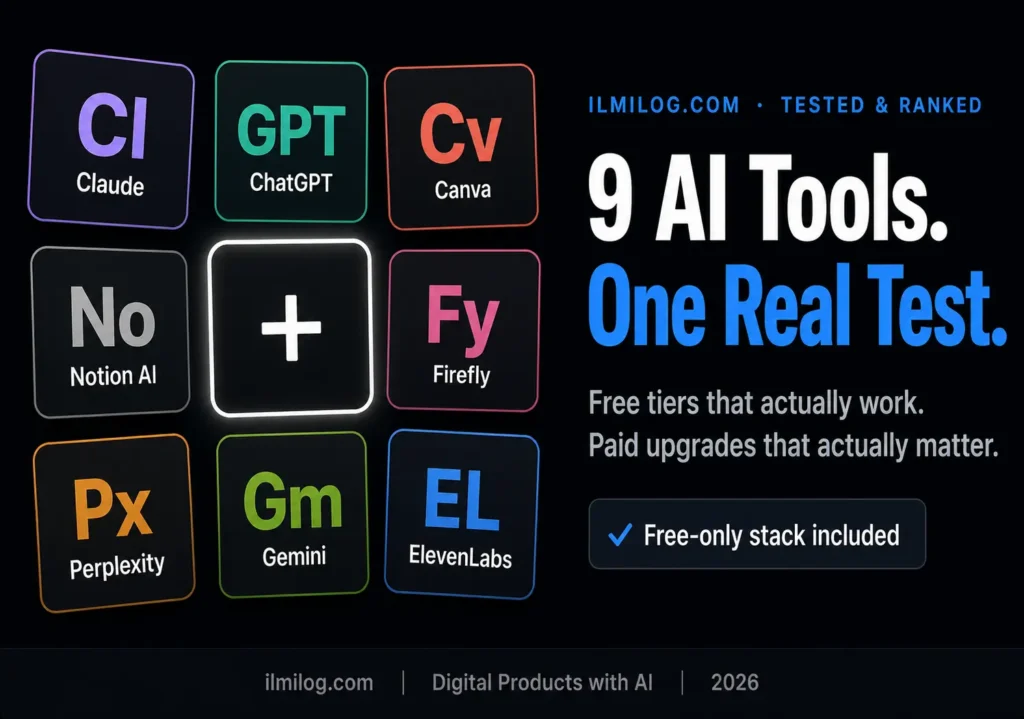
Quick Answer: The best AI tools to create digital products in 2026 depend on what you’re making, not on which tool has the biggest marketing budget. For writing (ebooks, guides, listing copy), Claude and ChatGPT still lead. For design (printables, Canva templates, covers), Canva’s built-in AI features handle 80% of what a beginner needs for free. For Notion templates, Notion AI speeds up the structure but doesn’t replace your own logic. For prompt packs, the “tool” is really just Claude or ChatGPT plus a documentation habit. You can build your first sellable product without paying for anything — the paid upgrades only start earning their keep once you’re publishing consistently.
What you’ll learn: → Which AI tools actually produce output good enough to sell, and which ones just produce output that looks finished → A free-only stack that covers ebooks, templates, printables, and prompt packs with zero monthly cost → When paying for a tool changes your output quality versus when it just changes your convenience → The tool mistakes that quietly kill a digital product before it’s even listed → A pick-by-product-type breakdown so you’re not guessing which tool fits your specific idea
What “AI Tool for Digital Products” Actually Means
Most lists of “best AI tools” throw ChatGPT, Canva, and Midjourney into one bucket and call it done. That’s not actually useful, because a digital product is never made by one tool. An ebook needs a writing tool and a cover tool. A printable needs a design tool and, sometimes, nothing else. A Notion template needs a structuring tool and your own testing. Treating “AI tools for digital products” as a single category is the first mistake most guides make, and it’s why so many beginners end up subscribing to three overlapping tools that all do the same thing.
The more useful way to think about it: every digital product breaks down into two or three separate jobs — research, drafting or structuring, and visual finishing. Some tools are good at one job. A handful are good at two. None of them are good at all three, no matter what the landing page claims.
Most roundups on this topic answer with a list of ten logos and one line each. That’s not what actually decides whether your product sells. What decides it is whether you picked the right tool for the specific job your product needs, and whether you edited the output enough that it doesn’t read like a first draft.
Why Most Tool Roundups Get This Wrong
Before the actual list, it’s worth being honest about why this category is full of bad advice.
Problem #1 — every list is the same five names
ChatGPT, Canva, Midjourney, ElevenLabs, Notion AI. Reordered, relabeled, republished. Almost none of these roundups mention which specific feature inside each tool does the work, so you end up paying for a Pro plan to unlock something you needed on day one that was actually free.
Problem #2 — nobody separates “can generate content” from “can generate sellable content”
Any tool can output an ebook draft. Very few outputs are structured well enough that a buyer doesn’t notice it was rushed. The gap between those two things is entirely in how you use the tool, not which tool you picked.
Problem #3 — pricing pages are written to confuse you
Free tiers are deliberately capped just below what a real workflow needs, so you hit the paywall mid-project instead of before you start. Knowing where those caps actually sit — not what the marketing page implies — is most of what separates a useful roundup from a repackaged press release.
Problem #4 — region-blind pricing
A lot of these tools quote you in USD by default and don’t mention how billing actually works if you’re paying from Pakistan, which changes the real cost once your bank’s conversion fee gets added.
None of this means these tools are bad. It means the ranking that matters is “output quality per rupee spent for your specific product,” not “which tool has the most features.”
How I Tested These Tools
For this guide, I built one real product with each tool category — a short ebook outline and two draft chapters with the writing tools, a 10-piece Canva template pack with the design tools, a working Notion template with Notion AI, an illustrated cover test with Firefly and Midjourney side by side, and a documented 15-prompt pack using Claude and ChatGPT. The goal wasn’t to review every feature; it was to see how much editing each output needed before it was something I’d actually attach my name to and sell.
What I checked for each tool:
- Output quality — could this go out with light editing, or did it need a rewrite
- Free tier reality — what you actually get for free versus what the pricing page implies
- Learning curve — how long before a first-timer produces something usable
- Commercial-use clarity — whether the tool’s terms clearly let you sell what you make with it
- Region friendliness — how painful the paid tier is to buy from Pakistan specifically
The mistake I made early on: assuming the newest, most-talked-about tool would automatically produce the best output. It doesn’t. For long-form writing, a well-structured prompt in a free ChatGPT account beat a rushed attempt in a paid specialist tool almost every time. The tool matters less than the outline you feed it — that’s the thing this category consistently undersells.
Free vs. Paid: The Decision That Actually Matters
This is the section most roundups skip, and it’s the one that actually changes what you spend.
Free is enough when: you’re building your first one or two products to test whether a niche has demand, your product doesn’t depend on volume (you’re not generating fifty images a day), or your workflow fits inside a free tier’s daily or weekly caps without you noticing them.
Paid starts earning its cost when: you’re publishing multiple products a month and the free tier’s rate limits are the thing slowing you down, you need commercial licensing spelled out explicitly rather than implied, or the paid tier removes watermarks and low-resolution exports that a buyer would immediately notice.
The order that actually works for a beginner: validate your product idea for free first. Only upgrade a specific tool once it’s the bottleneck in a workflow that’s already producing sales. Paying for five tools before your first listing goes live is the single fastest way to burn a budget on a business that hasn’t proven it works yet — our complete guide to creating and selling digital products with AI covers this validation step in more depth if you haven’t picked a product idea yet.
Comparison Table: Best AI Tools by Product Type
| Tool | Best For | Free Tier Reality | Paid Price | Commercial Use |
| Claude | Long-form writing, ebooks, structured outlines | Generous daily limit, resets fast enough for one chapter a day | ~$20/mo Pro | Yes, clearly stated |
| ChatGPT | Drafting, listing copy, brainstorming, prompt testing | Usable free tier, slower and capped at peak times | ~$20/mo Plus | Yes, clearly stated |
| Canva (Magic Studio) | Templates, printables, covers, mockups | Covers 80% of a beginner’s needs — Magic Write, background remover, basic AI image tools | ~$15/mo Pro | Yes, with some stock-asset caveats |
| Notion AI | Structuring Notion templates, database logic | Limited free trial responses, then locked behind paid plan | Bundled into Notion’s paid plans | Yes |
| Adobe Firefly | Higher-end printable and cover art, commercially-safe image generation | Monthly free credits, enough for testing | ~$10/mo for more credits | Yes, trained on licensed content specifically |
| Midjourney | Distinctive art-style covers and printables | No free tier | ~$10–$30/mo depending on volume | Yes, on paid plans |
| ElevenLabs | Voiceovers for audio products or course intros | Limited monthly characters, fine for a short intro | ~$5–$22/mo depending on volume | Yes |
| Perplexity AI | Research and fact-checking before you write | Fully usable free tier for this specific job | ~$20/mo Pro (not required for most sellers) | Not applicable — research tool |
| Gemini | Long documents, spreadsheet-adjacent product logic | Free tier through a Google account | Bundled into Google One AI plans | Yes |
Best AI Tools to Create Digital Products, Ranked by Category
1. Claude — Best for Ebooks and Long-Form Guides
Claude is the tool I’d point a beginner toward first if the product is written content. It holds a chapter-length outline without losing the thread the way some tools do past the halfway point, and it follows a defined structure (headings, word count targets, tone) more consistently across a long draft.
What I noticed testing it: feeding Claude the outline chapter by chapter, rather than the whole book in one prompt, produced noticeably more consistent output. Asking for the whole book at once tends to flatten out — later chapters get thinner and more generic than earlier ones.
Best for: ebooks, guides, and any product where the writing itself is the product. Skip if: your product is purely visual — a Notion template or printable doesn’t need this tool at all.
2. ChatGPT — Best All-Rounder for Drafting and Listing Copy
ChatGPT is still the most flexible single tool in this list because it’s genuinely fine at several jobs at once: drafting, brainstorming product ideas, writing your Etsy or Gumroad listing description, and testing prompt-pack prompts before you document them.
What I noticed: for a single ebook chapter, ChatGPT and Claude produced comparably good drafts — the gap was small enough that either works. Where ChatGPT pulled ahead was shorter, punchier writing: listing titles, product descriptions, ad-style copy.
Best for: listing copy, brainstorming, and as your day-to-day default if you don’t want to juggle two writing tools. Skip if: you’re only writing one long document — pick one tool and stay in it rather than switching mid-draft.
3. Canva (Magic Studio) — Best for Templates, Printables, and Covers
Canva’s built-in AI tools — Magic Write for copy inside designs, background remover, Magic Eraser, and its AI image generator — cover almost everything a beginner needs to build a Canva template pack or a printable without touching a separate design tool.
What I noticed: the free plan is genuinely usable for a first product. Where the free tier gets tight is premium template elements and certain stock photo licenses — if your design leans on a specific premium asset, you’ll hit a paywall mid-design. Canva’s own pricing page lays out exactly which elements are free versus Pro, worth checking before you assume a limit is universal. Budgeting a Canva Pro month for your first serious batch of products is a reasonable one-time cost, not a required subscription.
Best for: printables, Canva template packs, ebook covers, and social media template bundles. Our Canva for beginners guide walks through the specific free features — including Magic Write and the background remover — that matter most for this exact use case. Skip if: you need highly specific custom illustration work that a template-based tool can’t produce — that’s when Adobe Firefly or a dedicated illustration tool comes in.
4. Notion AI — Best for Notion Template Products
If you’re building a Notion template to sell — a habit tracker, a content calendar, a project management system — Notion AI helps you draft the database structure, formula logic, and page copy faster than building it from scratch.
What I noticed: it speeds up the scaffolding significantly but doesn’t replace testing. A template that looks complete but breaks the first time a buyer enters real data generates refund requests fast. Build it with AI, then use it yourself for a week before listing it.
Best for: anyone already comfortable inside Notion who wants to build a template faster. Skip if: you don’t already use Notion regularly — the learning curve on the platform itself, not the AI, is the actual barrier for total beginners.
5. Adobe Firefly — Best for Commercially-Safe Image Generation
Firefly’s biggest advantage isn’t image quality — it’s that Adobe trained it specifically on licensed and public-domain content, which matters if a marketplace asks about the origin of your image assets. Adobe’s own Firefly commercial-use terms spell out exactly what’s covered, which is worth a five-minute read before you build a whole product line around it. For cover art, printable illustrations, and mockup backgrounds where you want image generation without copyright ambiguity, this is the safer default.
What I noticed: the free monthly credits are enough to test whether Firefly’s style fits your product, but not enough for a full product catalog. It pairs well with Canva — generate the base image in Firefly, finish the layout and text in Canva.
Best for: cover art and printable illustrations where commercial-use clarity matters. Skip if: you’re already getting what you need from Canva’s built-in generator — don’t add a second image tool without a specific reason.
6. Midjourney — Best for Distinctive Art-Style Covers and Printables
Where Firefly wins on licensing safety, Midjourney wins on style range. If your product depends on a specific artistic look — watercolor-style printables, illustrated ebook covers, stylized planner art that doesn’t look like every other Canva template — Midjourney’s range of art styles is still ahead of most alternatives.
What I noticed: it’s the least beginner-friendly tool in this list. It runs through Discord, the learning curve on prompt phrasing is real, and there’s no free tier anymore — you’re paying from image one. Worth it only when a specific visual style is central to why your product stands out.
Best for: printable art, illustrated covers, and any product where a distinctive visual style is the actual selling point. Skip if: you’re building templates or standard printables — Canva’s built-in generator gets you there faster and cheaper.
7. ElevenLabs — Best for Audio Products and Course Voiceovers
If any part of your product involves audio — a short audiobook version of your ebook, a voiceover for a mini-course, an intro clip for a Gumroad listing page — ElevenLabs produces the most natural-sounding output in this category.
What I noticed: the free tier’s character limit is genuinely small, enough for a short intro clip but not a full audiobook. ElevenLabs lists its exact character caps per plan on its pricing page, and it’s worth checking those numbers against your actual script length before assuming free will cover it. For anything recurring, the cheapest paid tier is worth it before you burn hours trying to stretch the free allowance.
Best for: short audio add-ons to an existing product. Skip if: audio isn’t part of your product at all — don’t add a tool you don’t need just because it’s on every roundup list.
8. Perplexity AI — Best for Research Before You Write
This isn’t a content-generation tool, and it doesn’t belong on most “digital product tool” lists, but it solves the step every other tool skips: figuring out what’s actually true before you write a chapter or design a fact-based printable. It cites sources inline, which makes fact-checking specific claims faster than a normal search.
What I noticed: using it before drafting, not during, produces better results. Research first, structure second, write third — mixing research and drafting in the same tool tends to produce shallower output in both directions.
Best for: any product where accuracy matters — finance guides, health-adjacent printables, anything with numbers a buyer could double-check. Skip if: your product is purely creative or opinion-based and doesn’t need citations.
9. Gemini — Best for Long Documents and Spreadsheet-Adjacent Logic
Gemini’s strength for this category is handling longer context windows well and integrating naturally if you’re already inside Google Docs or Sheets — useful if your digital product includes a tracker, calculator, or budget template that lives in a spreadsheet rather than Notion.
What I noticed: for pure creative writing it’s a step behind Claude and ChatGPT, but for anything involving structured data — a budget spreadsheet product, a tracker with formulas — it handled the logic more reliably in testing.
Best for: spreadsheet-based digital products and long reference documents. Skip if: your product is design-heavy or purely narrative — this isn’t the tool’s strength.
The Zero-Budget Stack (Everything Free)
If you’re starting with genuinely no budget, here’s the combination that gets a first product listed without a single subscription: Claude or ChatGPT’s free tier for the writing, Canva’s free plan for every visual element including the cover and listing mockups, and Perplexity’s free tier if your product needs fact-checked research. That’s the entire stack for an ebook, a printable pack, or a prompt pack — genuinely zero cost to your first listing.
The one place this stack gets tight is volume. If you’re publishing five products a week, free-tier rate limits start slowing you down, and that’s the specific moment to consider paying — not before.
When Paying Actually Changes Your Output
Paying for a tool changes three things, and only three: speed (higher rate limits, less waiting), resolution and licensing clarity (no watermarks, explicit commercial terms), and volume (more generations per day). It does not, in most cases, meaningfully change the ceiling of output quality — a well-structured prompt on a free tier usually beats a lazy prompt on a paid one.
The one place paying genuinely changes quality, not just convenience: image generation resolution and consistency at scale, where paid tiers on tools like Firefly or Canva Pro give you higher-resolution exports and more consistent output across a batch of related images — which matters if you’re building a 20-piece template pack that needs to look like one cohesive set.
Common Mistakes People Make Picking AI Tools
Subscribing before validating
Paying for three tools in week one, before a single product has sold, is the fastest way to turn a low-cost side project into a monthly expense you can’t justify yet.
Using the trendiest tool instead of the right one
A tool that’s dominating social media this month isn’t automatically the best fit for your specific product. Match the tool to the job — writing tool for writing, design tool for design — not to what’s currently getting attention.
Skipping the edit pass because the AI output “looks done”
Output that looks polished on screen often has small factual errors, repeated phrasing, or generic filler that an experienced buyer notices immediately. The edit pass is not optional if you want repeat customers.
Not checking commercial-use terms
A small number of free tools restrict commercial use in their terms even though nothing on the interface warns you. Check before you build a whole product around a tool that technically won’t let you sell the output.
Tool-hopping mid-project
Switching from Claude to ChatGPT halfway through an ebook, or from Canva to a different design tool halfway through a template pack, produces inconsistent tone and style that buyers notice even if they can’t name why something feels off.
Decision Checklist — Which Tool Fits Your Product?
- My product is mostly written → start with Claude, use ChatGPT for the listing copy afterward
- My product is mostly visual → Canva’s free plan covers this; add Firefly only if you need commercially-safe custom illustration
- My product involves a Notion database or tracker → Notion AI for structure, but budget time to test it yourself before listing
- My product needs fact-checked information → research with Perplexity before drafting anywhere else
- My product includes audio → ElevenLabs, on the free tier first, unless the audio is a large part of the value
- My product is a prompt pack → Claude or ChatGPT is the entire toolkit here; the real differentiator is documentation, not tool choice — our tested roundup of the best AI prompt packs shows exactly what buyers expect inside one before you build your own
- I haven’t sold a product yet → stay on free tiers across the board until something is actually generating sales
If you checked “I haven’t sold a product yet,” that’s not a weakness — it’s the correct place to start. Every paid upgrade on this list should follow proof that a product sells, not precede it.
Still not sure which product type actually fits your skills and time? The Digital Life Blueprint Generator maps that out in about seven questions — worth doing before you commit to a tool at all.
Honest Verdict: What Works, What Doesn’t
| What Works Well | What Genuinely Doesn’t |
| Matching one tool to one specific job in your workflow | Subscribing to every tool in a roundup “just in case” |
| Free tiers for your first one to three products | Assuming a paid tier automatically improves output quality |
| Editing every AI draft before it’s part of a sellable product | Publishing first-draft output straight from any tool |
| Checking commercial-use terms before building around a tool | Discovering licensing restrictions after a product is already listed |
Best for: beginners who want to build a first digital product without spending anything, and who are willing to put in an honest edit pass before publishing.
Skip the paid tiers entirely if: you’re still validating whether your niche has demand — free tools are enough to find that out.
FAQ
Q: Do I need to pay for any tool to create my first digital product?
No. Claude or ChatGPT’s free tier plus Canva’s free plan covers writing and design for an ebook, printable, or prompt pack. Paid tiers matter once volume or licensing clarity becomes the actual limiting factor, not before.
Q: Which single AI tool should a total beginner start with?
Canva, if your product is visual — the learning curve is the shortest and the free plan covers most of what a first product needs. Claude, if your product is written — it holds a long outline more consistently than most alternatives.
Q: Can I legally sell products made with free AI tools?
Generally yes, as long as the specific tool’s terms allow commercial use — most mainstream tools covered here do, but it’s worth checking each tool’s terms directly since a small number restrict commercial use on free tiers specifically.
Q: How do I know if I need to upgrade to a paid plan?
When a free tier’s rate limit is the thing slowing down an already-selling product, not before. Upgrading before you have your first sale is spending money to solve a problem you don’t have yet.
Q: Is it worth paying for multiple AI tools at once as a beginner?
Rarely. Most beginners only need one writing tool and one design tool. Paying for three or four tools before publishing a single product usually means money spent on convenience you haven’t earned the need for yet.
Q: Do AI tool subscriptions cost more when paying from Pakistan?
Often yes, once your bank’s currency conversion fee is added on top of the listed USD price. Factor that in before assuming a $20/month tool is exactly $20 — it’s frequently closer to $21–$23 after conversion fees, depending on your card issuer.
Final Recommendation
If you’re building your first digital product this week, start with Claude or ChatGPT’s free tier for the writing and Canva’s free plan for everything visual — that combination alone gets an ebook, printable, or prompt pack from idea to list without spending anything. Only add a paid tier once a specific free-tier limit is the thing actually standing between you and your next product, not before.
Picking the tool was never the hard part — turning what you build into an actual listed, selling product is the rest of the work: platform choice, pricing, and what happens after the first 30 days. That’s a separate process worth reading in full once your first product is actually built, not before.
Researched and written by the ilmilog.com editorial team. Nine tools tested by building one real product per category — an ebook draft, a Canva template pack, a Notion template, an illustrated cover comparison, and a documented prompt pack — through July 2026. Pricing and free-tier details confirmed against each tool’s official pricing page as of July 2026. Editorial policy: we test the tools we recommend before publishing; ratings reflect our own testing, not paid placement.